How Billing Works
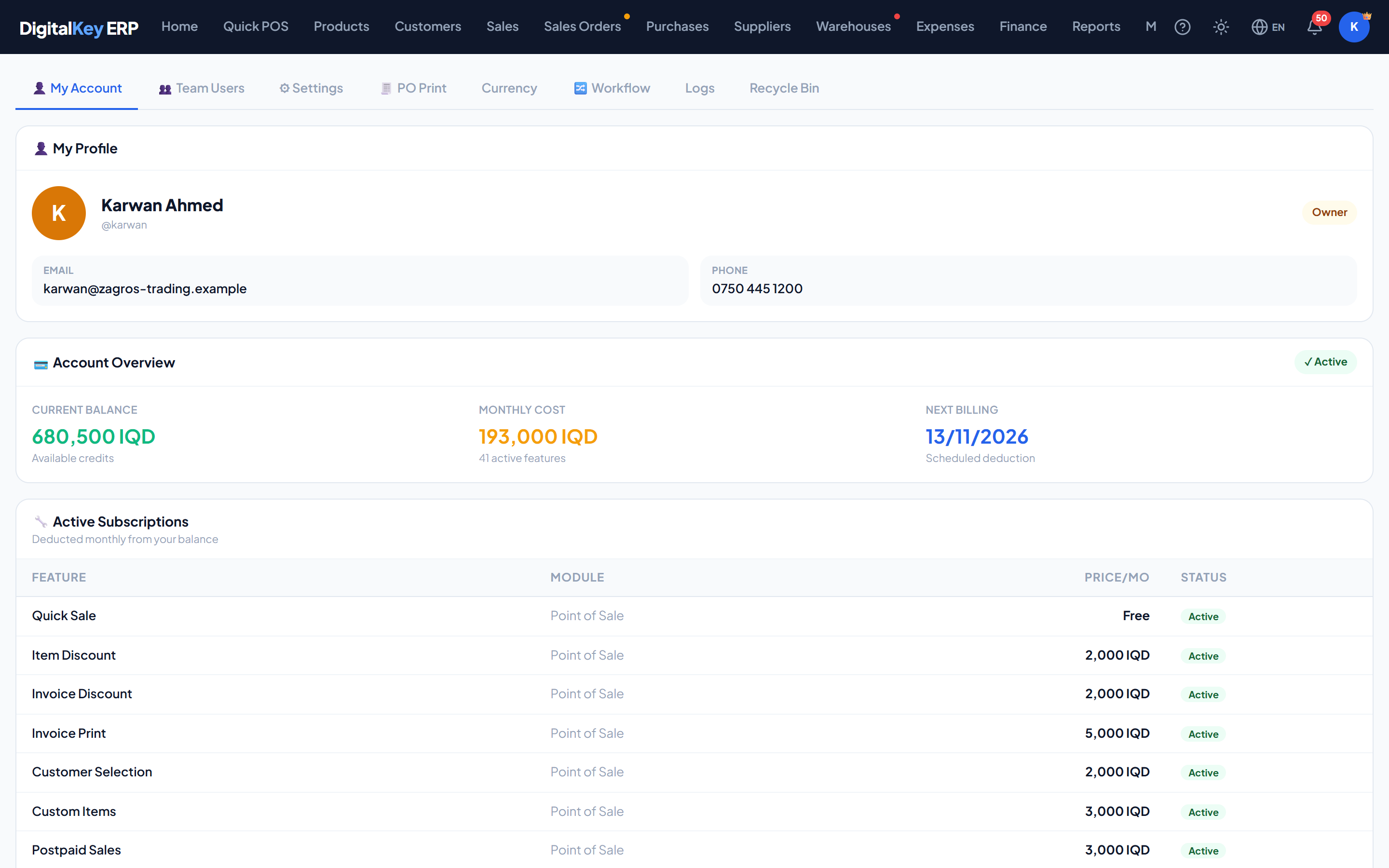
Balance, billing day, monthly deduction — the three ideas the whole billing system rests on.
DigitalKey ERP — Docs · digital-key.co/docs/billing
The model in three sentences
- Every user has their own balance in IQD — always Iraqi Dinar, whatever main currency the business itself works in.
- Every user subscribes to features, each with a monthly price.
- Once a month, on their own billing day, the total is deducted from that balance.
The billing day
Your billing day is the day of the month you first signed in, stored once as billing_day and never changed. First sign-in on the 15th means billing on the 15th, every month.
What a deduction does
Each run, for each user due, the system:
- Adds up the monthly price of every active paid feature they subscribe to.
- Compares that total against their balance.
- If the balance covers it — deducts, logs each feature as
success, and moves the billing dates forward. - If it does not — logs
failed_low_balance, moves anactiveuser totemp_suspend, and still moves the dates forward.
Adding a feature mid-month
A newly added paid feature is charged for its first month at the moment it is added, and joins the monthly deduction from then on. Each feature is tracked separately, so adding one shortly before your billing day never causes another feature's month to be skipped or charged twice.
Free-only users are still billed
pos.quick_sale has a monthly total of zero. They still go through the billing run — the deduction is simply zero, is logged as free, and the dates advance as normal. They never enter a grace period because there is nothing to fail.Deduction records
| Parameter | Type | Required | Description |
|---|---|---|---|
feature_key | string | Optional | Which feature was charged for. |
amount | decimal | Optional | Amount deducted for it, in IQD. |
period_month | date | Optional | The month being paid for. |
status | string | Optional | success, failed_low_balance or free. |
deducted_at | timestamp | Optional | When the run happened. |
Top-ups
Balance is added by a platform administrator or by your reseller. Users cannot top themselves up.
| Parameter | Type | Required | Description |
|---|---|---|---|
user_id | integer | Required | Who is being credited. |
amount | decimal | Required | Amount to add, in IQD. |
notes | string | Optional | Reason or reference for the top-up. |
When billing runs
Deductions are triggered from two places:
- First login — activates the account and takes the first month.
- The daily run — processes everyone whose
next_billing_athas arrived, then advances anyone sitting in a suspended state past their grace period.
curl -X POST https://api.digital-key.co/api/v1/admin/billing/run-daily \
  -H "x-cron-secret: <CRON_SECRET>" \
  -H "Content-Type: application/json" \
-d '{}'Billing never blocks work
In this section
- Lifecycle States — what happens when a payment fails.
- Features & Pricing — the full price list.