Products
Units
What a quantity of one actually means for a product — a piece, a box, or a kilogram.
Last updated 2026-10-13
DigitalKey ERP — Docs · digital-key.co/docs/products/units
Overview
A unit is the measure a product is counted in. It is a label attached to the product and shown alongside quantities so that “3” is never ambiguous on an invoice or a stock count.
Products — Unit management
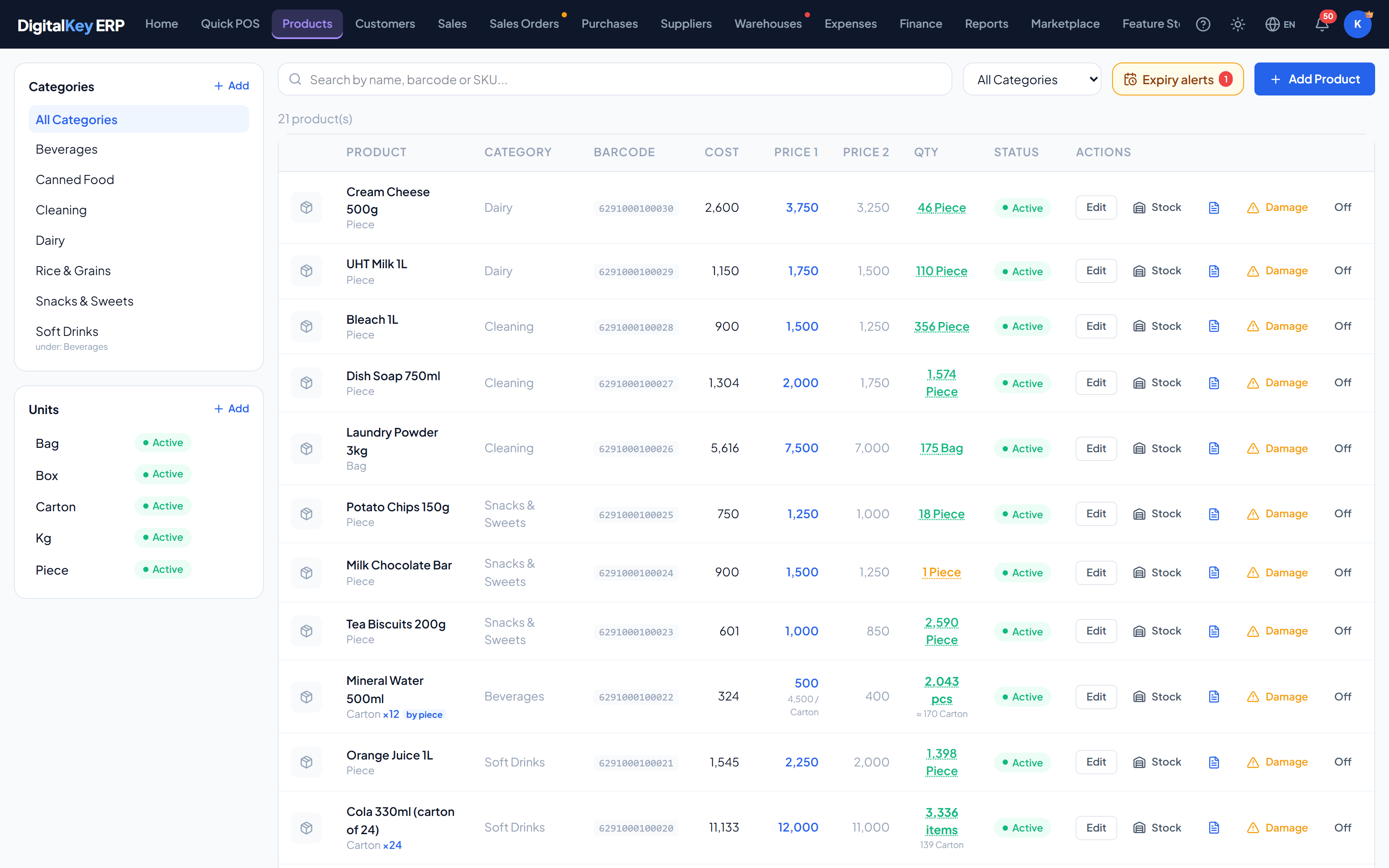
Fields
POST /api/v1/products/units
| Parameter | Type | Required | Description |
|---|---|---|---|
unit_name | string | Required | The unit label — Piece, Box, Carton, Kg, Litre and so on. |
Units versus pack size
Two different things are easy to confuse, so it is worth separating them clearly:
| Parameter | Type | Required | Description |
|---|---|---|---|
unit_id | integer | Optional | Which unit the product is counted in — the label shown next to quantities. |
unit_qty | integer= 1 | Optional | How many individual items make up one of those units — the pack or box size. |
NoteA carton holding 24 bottles is a product whose unit is Carton and whose
unit_qty (Items per Unit) is 24. By default the stock quantity counts cartons — the pack size only records what is inside one. To sell single bottles out of the carton, switch the product to sold by the piece: stock then counts bottles, and the carton keeps its own price.Decimal quantities
Quantities are decimal throughout, so weighed and measured goods work without a workaround: 1.5 kg or 0.75 litres are valid quantities in the POS, in stock and on an invoice.
TipFor loose goods, set the unit to the measure you actually price by — Kg rather than Piece — and the printed invoice will read the way the customer expects.
Where units appear
- Beside the quantity in the POS cart.
- On the printed invoice, next to each line quantity.
- In stock lists, transfers and adjustments.
- On purchase invoices when receiving goods.
- As an optional Items per Unit column on the printed invoice.
Renaming, switching off and deleting
WarningA unit can be renamed, switched off, or deleted. Switching one off leaves existing products untouched — they keep their
unit_id and keep displaying it; the unit simply stops being offered on the product form. Deleting only works while no product uses the unit; otherwise switch it off instead. All of this needs Categories & units in the permission matrix.Related
- Adding Products — setting the unit and pack size.
- Stock Management — how quantities move.
- Warehouses — stock held per location.