Customer Management
Customer records hold who owes you what. This is the list, the detail drawer, and the tools for chasing debt.
DigitalKey ERP — Docs · digital-key.co/docs/customers
customer.manage3,000 IQD / monthOverview
A customer record is needed for credit sales, statements and debt tracking. Anonymous cash sales do not need one — those go against the default General Customer that every business starts with, which cannot be deactivated.
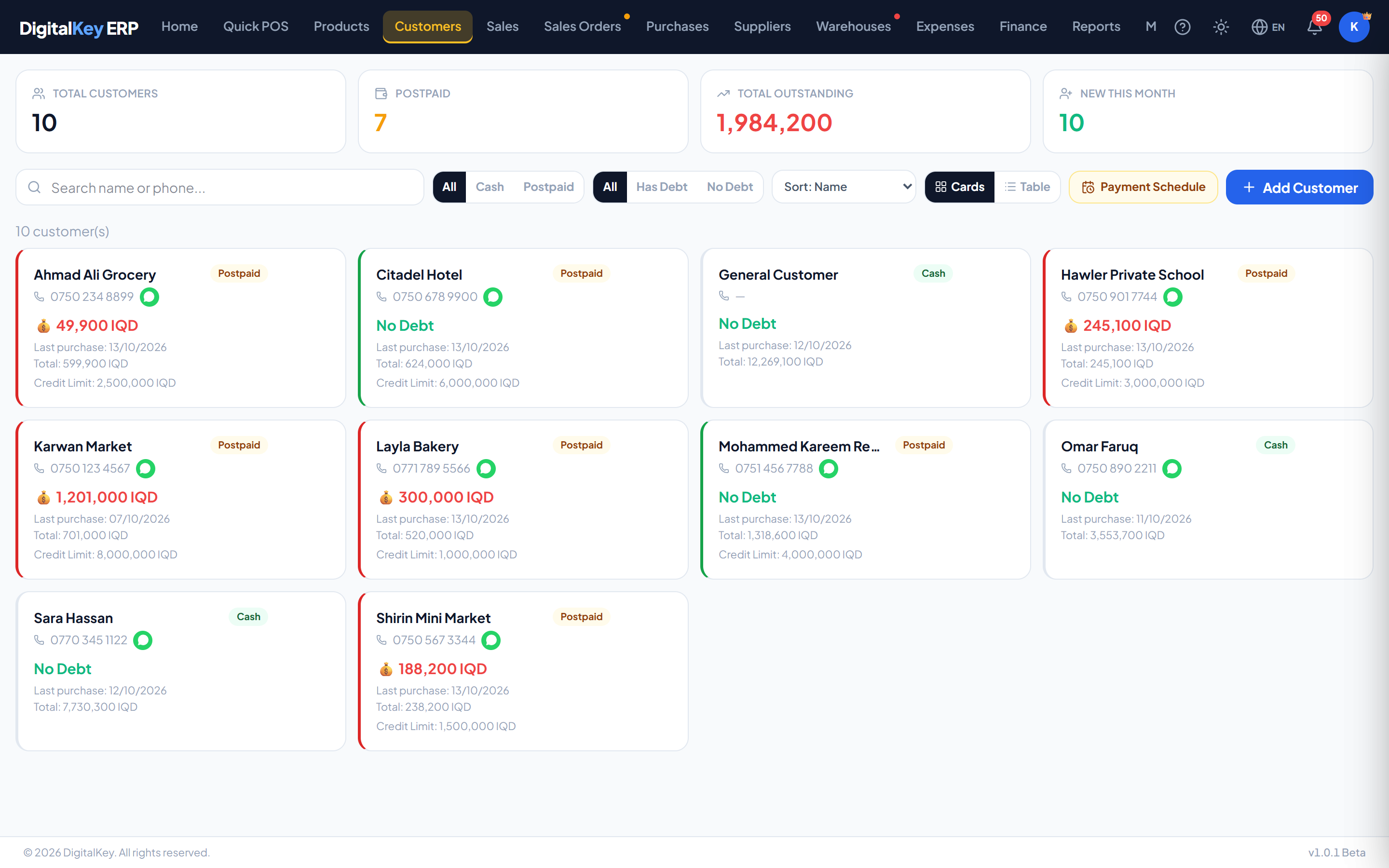
The list
Four figures sit above the list: total customers, how many are postpaid, the total outstanding, and how many are new this month. Search by name or phone, filter to customers with debt, sort by name, balance or last purchase, and switch between Cards and a Tablethat shows each customer's sales, cash total, postpaid total, total paid and debt side by side.
The customer drawer
Selecting a customer opens a drawer on the right with four tabs — five when sub-customers are subscribed. The drawer is the main working surface — most customer tasks are done without leaving the list.
Status tab
A summary of the trading relationship.
| Parameter | Type | Required | Description |
|---|---|---|---|
cash_sales_total | decimal | Optional | Everything this customer has bought and paid for at the counter. |
postpaid_sales_total | decimal | Optional | Everything bought on credit. |
total_payments_made | decimal | Optional | Sum of all payments recorded against the account. |
total_sales_amount | decimal | Optional | Cash plus postpaid — everything ever sold to them. |
sales_count | integer | Optional | Number of invoices raised. |
customer_since | timestamp | Optional | When the record was created. |
sales_debt | decimal | Optional | What remains unpaid on postpaid invoices. |
old_debt | decimal | Optional | Debt carried in from before they were on the system. |
total_debt | decimal | Optional | Sales debt plus old debt — the full amount owed. |
total_debt deliberately separates debt built up in the system from old_debt brought in from your previous books, so migrated balances never get mistaken for recent trading.Sales tab
Every invoice for this customer, newest first. Selecting one opens it, and it can be reprinted if invoice printing is subscribed.
Info tab
The stored details, read-only, with the actions that apply to the record: edit, print a statement, and deactivate.
Payments tab
Where a payment is taken, corrected, and where the payment history is read. See Recording Payments.
People tab
The people this customer's debt is split across, with what each one owes. Only shown with the sub-customers feature — see Sub-Customers.
customer.sub_accounts1,500 IQD / monthDebt schedule
The debt schedule lists everyone who owes money, ordered by when they said they would pay, so the collections list is driven by promises rather than by size alone.
| Parameter | Type | Required | Description |
|---|---|---|---|
total_debtors | integer | Optional | How many customers currently owe money. |
overdue_count | integer | Optional | How many are past their expected payment date. |
total_debt | decimal | Optional | Total outstanding across all customers. |
schedule[].current_balance | decimal | Optional | What this customer owes. |
schedule[].next_payment_date | date | Optional | When they are expected to pay. |
schedule[].days_remaining | integer | Optional | Days until that date. Negative means overdue. |
customer.debt_alerts1,000 IQD / monthCustomer portal
Customers can be given a login to see their own invoices and statement, which reduces the number of “what do I owe” phone calls.
customer.portal5,000 IQD / month| Parameter | Type | Required | Description |
|---|---|---|---|
phone | string | Required | The phone number the customer signs in with. |
password | string | Required | Initial password, at least 8 characters; easily guessed ones such as 12345678 are refused. Shown once — send it before closing the window. Can be reset later. |
is_active | boolean | Optional | Whether the portal login currently works. |
last_login_at | timestamp | Optional | When they last signed in. Read-only. |
portal_slug | string | Optional | The business's portal address. Read-only. |
From Manage Portal Account you can copy the portal link, send the login details or just the link over WhatsApp, reset the password, and disable or re-enable the login. In the portal the customer sees their account, invoices, payments and statement — their own records only.
In this section
- Adding Customers — every field.
- Sub-Customers — splitting one customer's debt across people.
- Recording Payments — taking money off a balance.
- Account Statement — the printable ledger.