Reseller Guide
Reseller Guide
For partners who sell and support DigitalKey to their own customers.
Last updated 2026-10-13
DigitalKey ERP — Docs · digital-key.co/docs/reseller
What a reseller is
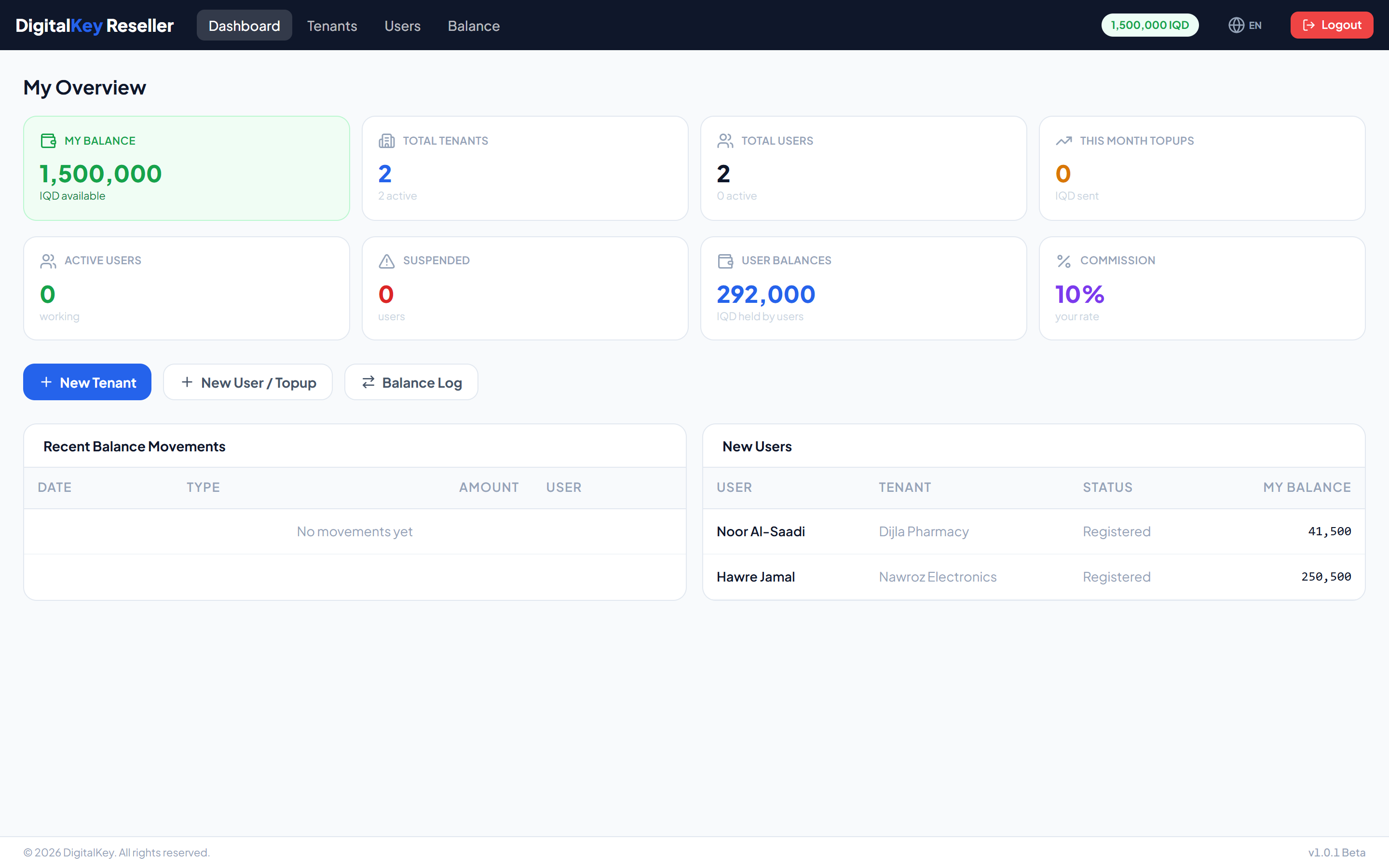
A reseller manages a group of businesses on the platform. You create the tenants and their users, decide what each user subscribes to, and fund their balances out of your own.
Reseller — Reseller dashboard
What you can and cannot do
| Action | Reseller | Platform admin |
|---|---|---|
| Create tenants | Own only | Any |
| Create users | Own tenants only | Any |
| Assign features | Own users only | Any |
| Top up a user | From your balance | Without limit |
| Reset a password | Own users only | Any |
| Edit feature prices | No | Yes |
| Change platform settings | No | Yes |
| Credit your own balance | No | Yes |
Your account
GET /api/v1/reseller/my-info
| Parameter | Type | Required | Description |
|---|---|---|---|
full_name | string | Optional | Your contact name. |
business_name | string | Optional | Your trading name. |
balance | decimal | Optional | Your remaining float, in IQD. |
commission_pct | decimal | Optional | Your agreed commission rate. |
tenant_count | integer | Optional | Businesses you manage. |
user_count | integer | Optional | Users across those businesses. |
The cost structure
Money moves in one direction through three steps:
- The platform credits your reseller balance.
- You top up a client user, which moves the amount from your balance to theirs.
- Their monthly deduction is taken from their balance on their billing day.
WarningYou cannot credit yourself. When your balance runs out you cannot fund any customer — and a customer who cannot be topped up will be suspended within ten days of a failed deduction. Keep enough float to cover your customers' next cycle.
Getting a customer started
- Create the tenant for the business.
- Create an owner user under it.
- Give that user the features their business needs.
- Top up enough balance to cover the first month.
- Hand over the username and password.
ImportantStep four matters. The first deduction runs at the customer's very first sign-in, so an account handed over with a zero balance and paid features enters a grace period the moment they log in for the first time.