Postpaid Sales
Letting a customer take goods now and pay later, and what that does to their balance.
DigitalKey ERP — Docs · digital-key.co/docs/pos/postpaid
pos.postpaid3,000 IQD / monthOverview
A postpaid sale completes normally — stock leaves, the invoice is raised — but the money is not collected at the counter. Whatever is left unpaid is added to the customer's balance and stays there until a payment is recorded against it.
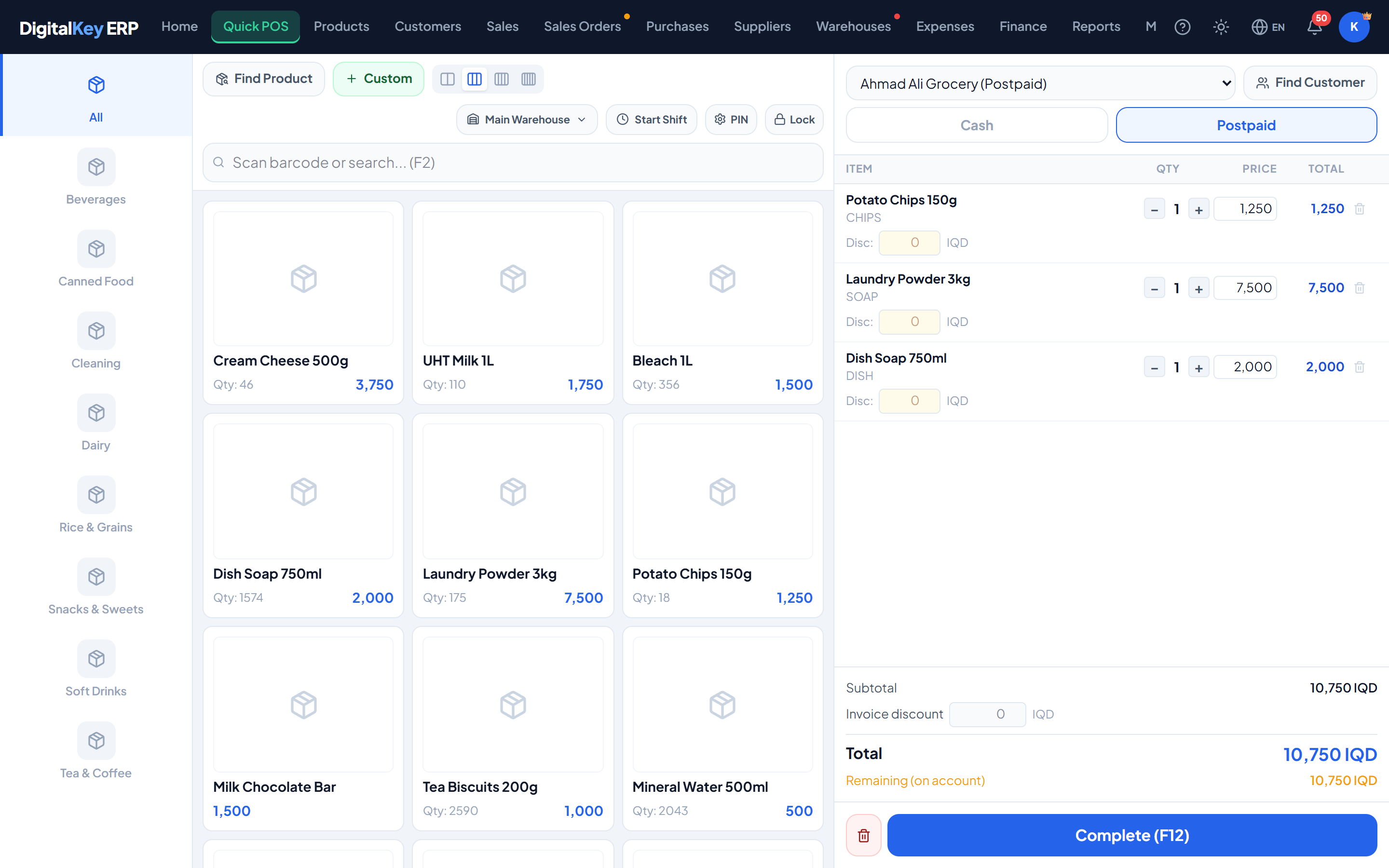
What happens on a postpaid sale
- A named customer must be attached — anonymous credit is not possible.
- The sale is saved with
payment_typeset topostpaid. - Stock is reduced exactly as for a cash sale.
- The unpaid remainder is added to the customer's
current_balance.
| Parameter | Type | Required | Description |
|---|---|---|---|
customer_id | integer | Required | The customer taking the credit. The walk-in default is not appropriate here. |
payment_type | string= cash | Required | Set to postpaid. |
paid_amount | decimal | Required | Amount paid at the counter. Zero for full credit, or a part payment. |
paid_amount to whatever the customer hands over and only the remainder goes onto their account, which saves raising two separate documents.Cash and postpaid customers
Every customer record carries a payment_type of its own. It is the default suggested at the counter, not a hard restriction — the cashier chooses the payment type per sale.
Credit limits
A customer record can carry a credit_limit. A value of 0 means unlimited, which is the default, and is displayed as “Unlimited” on the customer record.
To let a blocked sale through, do one of three things:
- Take a payment first, so the balance comes down.
- Raise the customer's credit limit, or set it to 0 for unlimited.
- Take more of this sale in cash, so less goes on account.
Clearing the balance
A postpaid balance is reduced by recording a payment against the customer, not by editing the invoice. See Recording Payments.
customer.payments1,500 IQD / monthWhen one customer's debt belongs to several people
A trader who buys on behalf of others can have their invoices and payments marked for the person each one belongs to. The customer still owes the whole balance; the system shows how much of it is each person's. See Sub-Customers.
customer.sub_accounts1,500 IQD / monthKeeping track of who owes you
- The dashboard shows total outstanding debt and the largest debtors.
- The customer list can be filtered to those carrying a balance.
- The debt schedule orders customers by expected payment date — see Customer Management.
- At-risk customers are identified in Smart Reports.
customer.debt_alerts1,000 IQD / monthRelated
- Adding Customers — payment type, opening debt and limits.
- Account Statement — a printable history for the customer.
- Finance — debt in the wider financial picture.