Receiving Goods
The moment an order becomes real: stock goes up, and so does what you owe.
DigitalKey ERP — Docs · digital-key.co/docs/purchases/receive-goods
purchase.receive2,000 IQD / monthWhat receiving does
Recording a receipt does five things in one transaction:
- Raises a purchase invoice for the goods received.
- Increases stock by the received quantity.
- Blends the received cost into each product's weighted-average cost — it does not overwrite it, and it never touches the selling price.
- Increases the supplier balance by whatever is unpaid.
- Updates
qty_receivedon the linked order and recalculates its status.
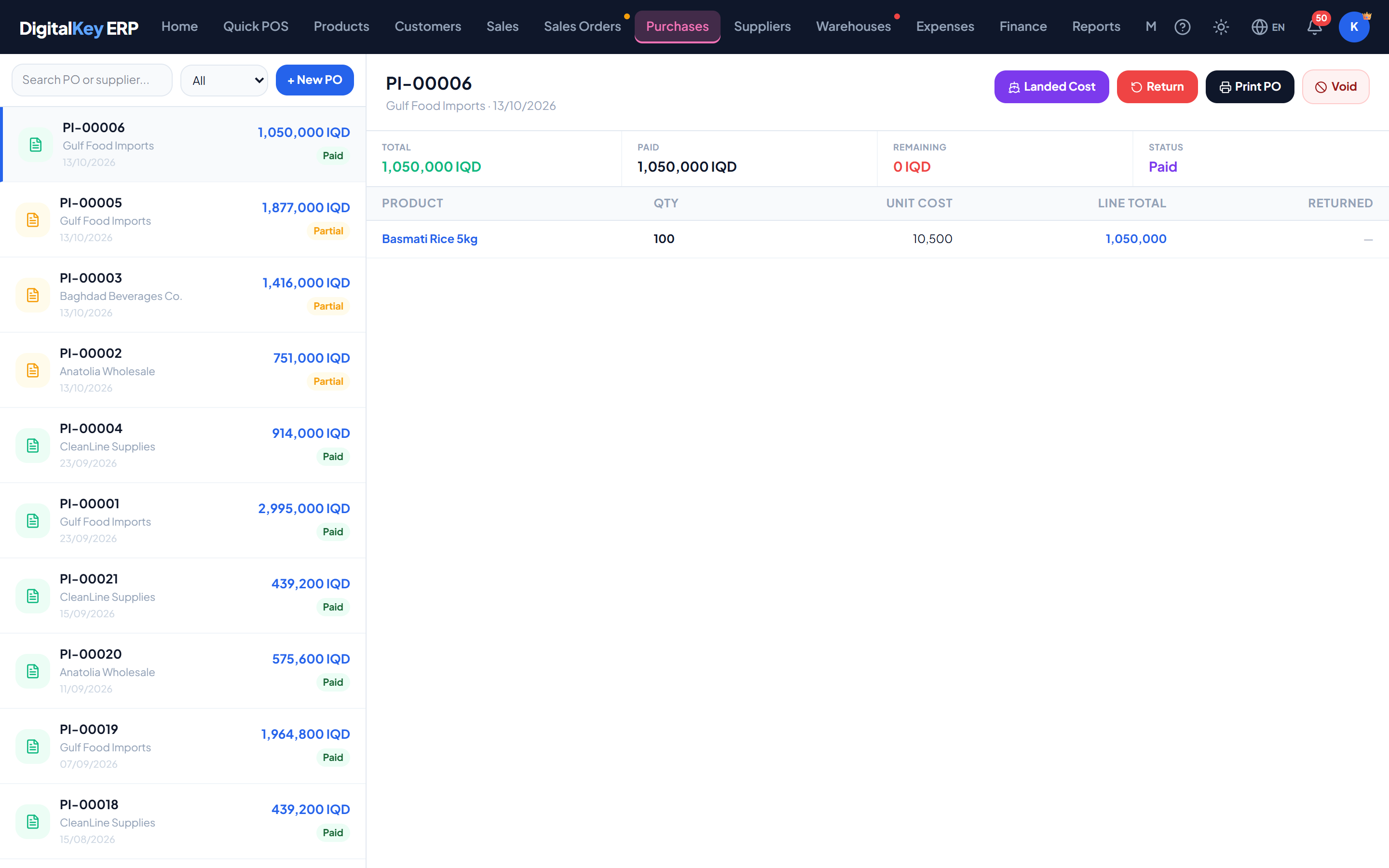
- 1
Open the purchase order
Find the order the delivery relates to and open it.
- 2
Enter what actually arrived
Record the quantity received per line. This does not have to match what was ordered — enter what is physically in front of you.
- 3
Check the costs
Unit costs default to what was ordered. If the supplier invoiced differently, correct them here so stock is valued at what you actually paid.
Purchases — Receipt lines with costs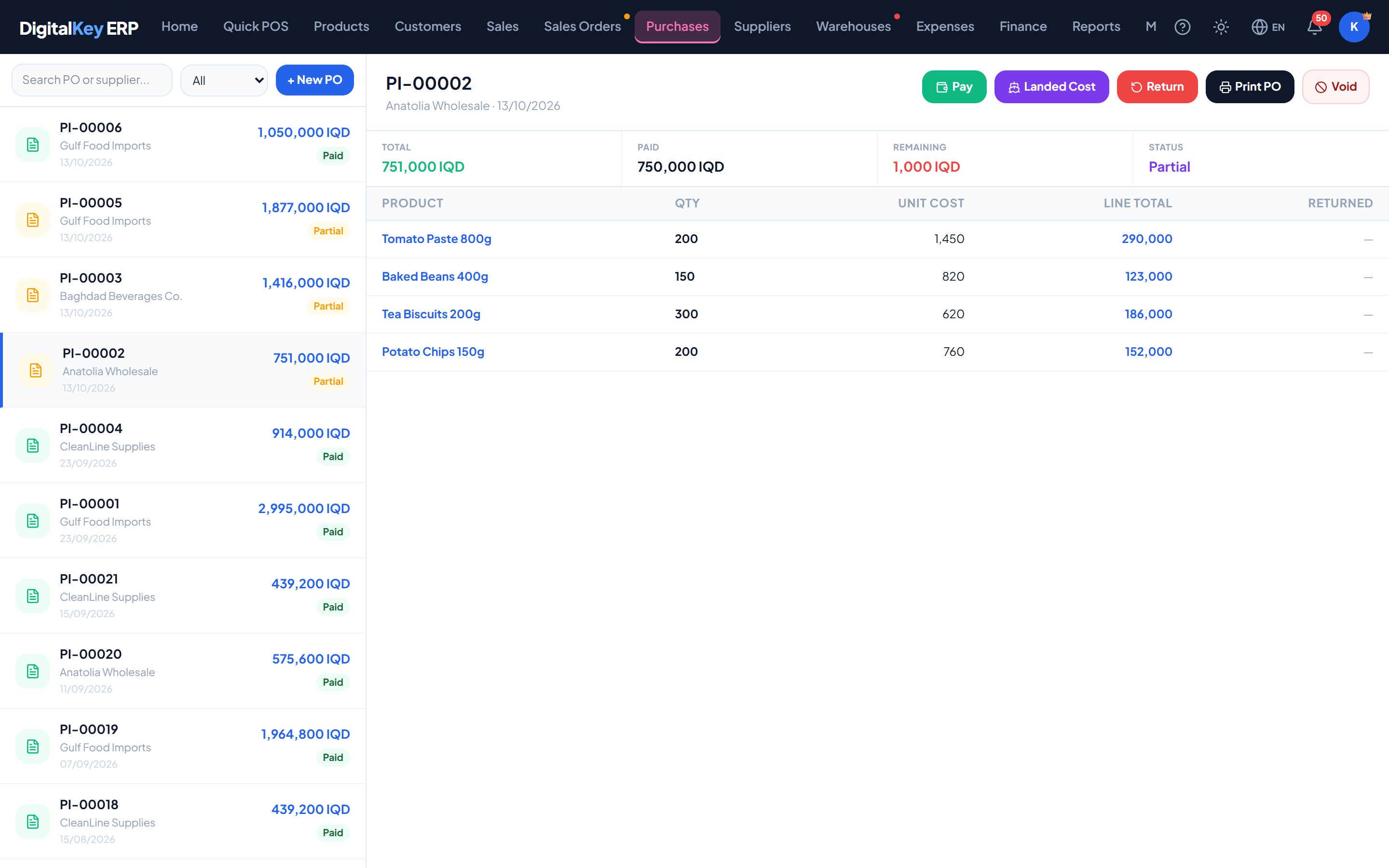
Receipt lines with costs — Received quantities alongside unit costs and line totals. - 4
Record any payment
Enter what you paid on delivery. Anything unpaid becomes part of the supplier balance.
- 5
Save
Stock rises, the supplier balance updates, and the order status moves to partial or received.
Fields
| Parameter | Type | Required | Description |
|---|---|---|---|
supplier_id | integer | Required | Supplier the goods came from. |
po_id | integer | Optional | Order being received against. Omitted for a direct purchase. |
payment_type | string= cash | Required | Cash or credit. |
paid_amount | decimal | Optional | Paid on delivery. The remainder becomes supplier debt. |
discount_amt | decimal | Optional | Invoice-level discount from the supplier. |
notes | string | Optional | Free text — delivery note number, condition on arrival. |
items[].product_id | integer | Optional | Product received. |
items[].qty | decimal | Required | Quantity actually received. |
items[].unit_cost | decimal | Required | Cost per unit actually charged, in your main currency. Stays as the supplier billed it. |
items[].cost_mode | string= average | Optional | average, manual or keep — how this line may move the product's cost. |
items[].line_total | decimal | Required | Quantity multiplied by unit cost. |
Part deliveries
Receiving less than was ordered is normal and fully supported. Enter what arrived; the order records the shortfall and stays open for the rest.
partial on its own while any line still has qty_received below qty_ordered, and to received once everything has arrived. You do not set this by hand.Quantities: cartons in
On a purchase line, Qty counts cartons— the way the supplier's invoice is written. For a product sold by the piece, with Items per Unit set, the stock rises by Qty × Items per Unit pieces and the carton cost is divided down to a cost per piece.
Cost prices and profit
When a product already has stock at a different cost, the line offers three choices — use the moving average (the default), enter the cost yourself, or keep the current cost. Customs, transport and similar charges are added afterwards as landed costs. Both are explained in Landed Costs & Cost Mode.
Packing and freight by volume
Each line can open a packing row. What is typed there is recorded on this purchase only; the product card is not changed.
| Parameter | Type | Required | Description |
|---|---|---|---|
Unit / Items per Unit | text / number | Optional | How the goods are packed on this shipment. |
Barcode / Image | text / file | Optional | The carton's barcode and a picture, for the printed purchase. |
CBM by | choice | Optional | Carton size — type length, width and height in cm and the volume is worked out; or Type CBM — type the volume of one carton directly. |
Cost per CBM | decimal | Optional | What the shipper charges per cubic metre. May be typed in another currency. |
CBM / Freight | calculated | Optional | The line's volume (one carton × cartons) and its freight (volume × cost per CBM). |
A cost per CBM in another currency
If the shipper quotes in dollars or yuan, type the cost per CBM in that currency. The first time each day you are asked for today's exchange rate for it; every cost typed in that currency that day converts at it. Only your main currency is used in calculations. Rates and their history are under My Account → Currency.
Paying the supplier
Anything left unpaid sits on the supplier balance until a payment is recorded against them, in the same way customer payments work.
purchase.payments1,500 IQD / monthReceiving without an order
Goods bought without a prior order are recorded as a purchase invoice with no po_id. The effect on stock and on the supplier balance is identical — the only difference is that there is no order to reconcile against.
Related
- Purchase Orders — raising the order first.
- Stock Management — the movement this creates.
- Profit & Loss — how cost of goods is used.