Creating Orders
Raising a sales order, and the fields that have no equivalent at the POS.
DigitalKey ERP — Docs · digital-key.co/docs/sales-orders/create-order
sales_order.basic20,000 IQD / month- 1
Start a new order
Go to Sales Orders and choose New Order.
Sales Orders — New order form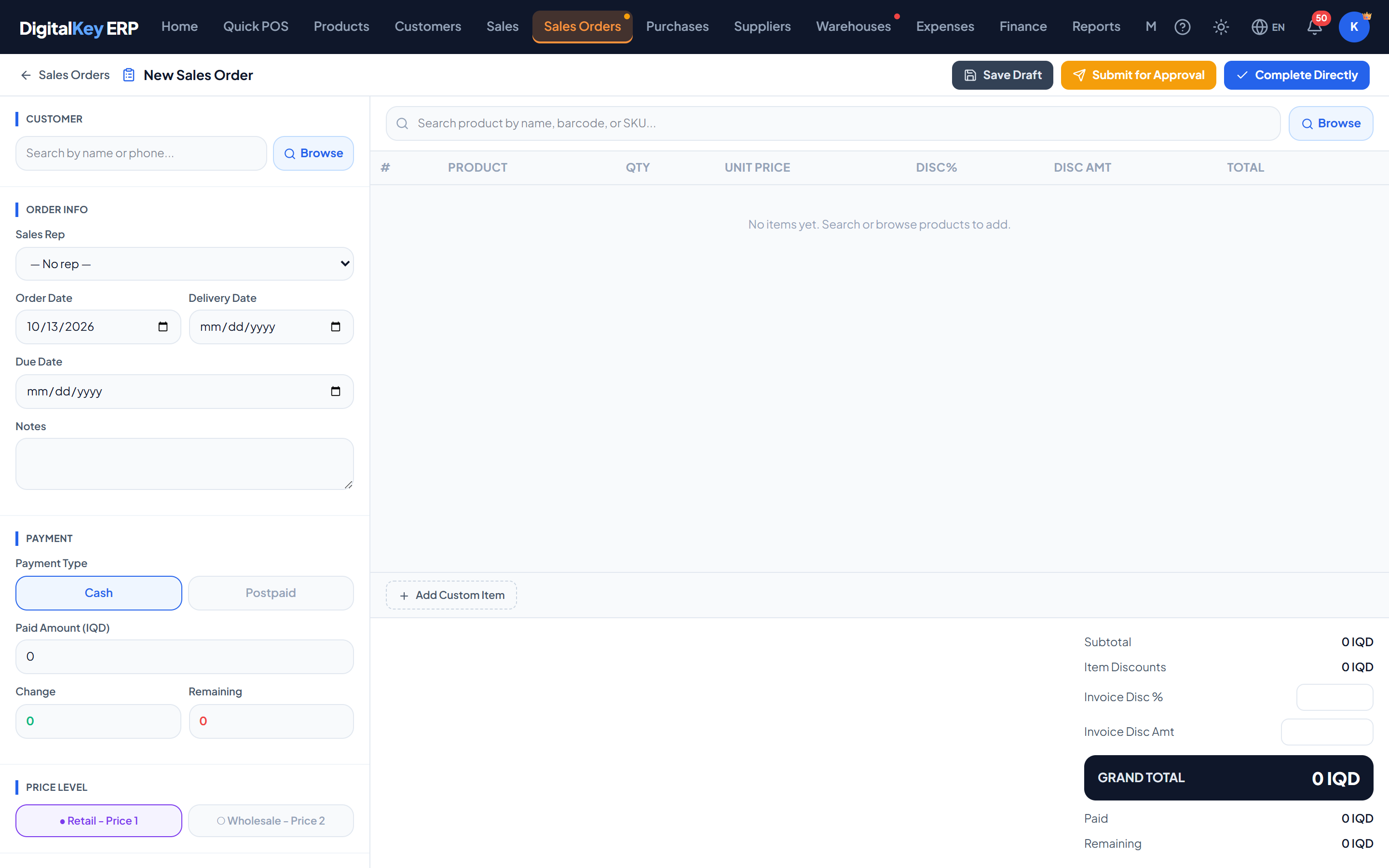
New order form — The empty order form showing customer selection, dates and the item table. - 2
Choose the customer
Their current balance and credit limit are shown once selected, so you can see their position before committing to the order. If the customer has sub-customers, a For box lets you mark the order for one of their people.
- 3
Set the price level
Level 1 uses each product's retail price, level 2 uses the wholesale price. Set it before adding items so lines are priced correctly from the start.
- 4
Add the items
Add products with quantities. Prices come from the chosen price level and can be overridden per line, along with line discounts — but not below the product's cost. A product sold by the piece asks Piece or Carton, and can sit on two rows of one order.
Sales Orders — Order linesOrder lines — The item table with quantities, unit prices, discounts and line totals. - 5
Set the dates
Delivery date is when the goods are due to go out; due date is when payment is expected. Both are optional.
- 6
Save
The order is saved as a draft by default. Creating one directly as completed needs the Complete orders permission, and is checked like any completion.
Order fields
| Parameter | Type | Required | Description |
|---|---|---|---|
customer_id | integer | Required | Customer the order is for. |
sales_rep_id | integer | Optional | User credited with the sale, when that differs from whoever keys it in. |
sale_date | date | Optional | Order date. Defaults to today. |
delivery_date | date | Optional | When the goods are due to be delivered. |
due_date | date | Optional | When payment is due. |
price_level | integer= 1 | Required | 1 for retail (sell_price1), 2 for wholesale (sell_price2). |
payment_type | string= cash | Required | Cash or postpaid. |
paid_amount | decimal | Optional | Amount paid up front, if any. |
discount_total_amt | decimal | Optional | Order-level discount as an amount. |
discount_total_pct | decimal | Optional | Order-level discount as a percentage. |
notes | string | Optional | Free text stored on the order and printed on the invoice. |
sub_customer_id | integer | Optional | The customer's person this order is for. Ignored without customer.sub_accounts. |
initial_status | string= draft | Required | Status to create at. completed needs the Complete orders permission. |
items | array | Required | The order lines. |
| Parameter | Type | Required | Description |
|---|---|---|---|
product_id | integer | Optional | Product being ordered. Omitted for a free-text line. |
custom_name | string | Optional | Item name for a line with no product record. |
is_extra_sell | boolean= false | Optional | Marks the line as an unregistered item. |
qty | decimal | Required | Quantity ordered. |
unit_price | decimal | Required | Price per unit. |
price_level | integer= 1 | Optional | Price level used for this line. |
discount_pct | decimal | Optional | Line discount as a percentage. |
discount_amt | decimal | Optional | Line discount as an amount. |
line_total | decimal | Required | Line total after discount. Recomputed server-side. |
completed — does not reserve stock. Two orders can be raised for the same last item and both will look fine until one of them is completed.initial_status is checked against your permissions on the server. A request to create an order directly as completedwithout the “Complete orders” permission is refused with a 403.Prices on an order
Credit limit
credit_limit, and a draft can still be saved. The limit is enforced at completion: an order whose unpaid part would take the customer past the limit cannot be completed until a payment is taken, the limit is raised, or more is paid up front.Stock
Order history
Every status change is logged with who made it, when, and any reason given. The log is available from the order itself and is the record of how it reached its current state.
Related
- Approval Workflow — moving the order along.
- Products — where the two price levels are set.
- Customers — balances and limits.