Stock Transfers
Moving goods from one location to another without changing how much you own in total.
DigitalKey ERP — Docs · digital-key.co/docs/warehouses/stock-transfer
warehouse.transfer3,000 IQD / monthOverview
A transfer takes quantity out of one warehouse and puts it into another. Your total stock is unchanged — only its distribution moves. This is a stock document, not a financial one: nothing about cost, revenue or balances changes.
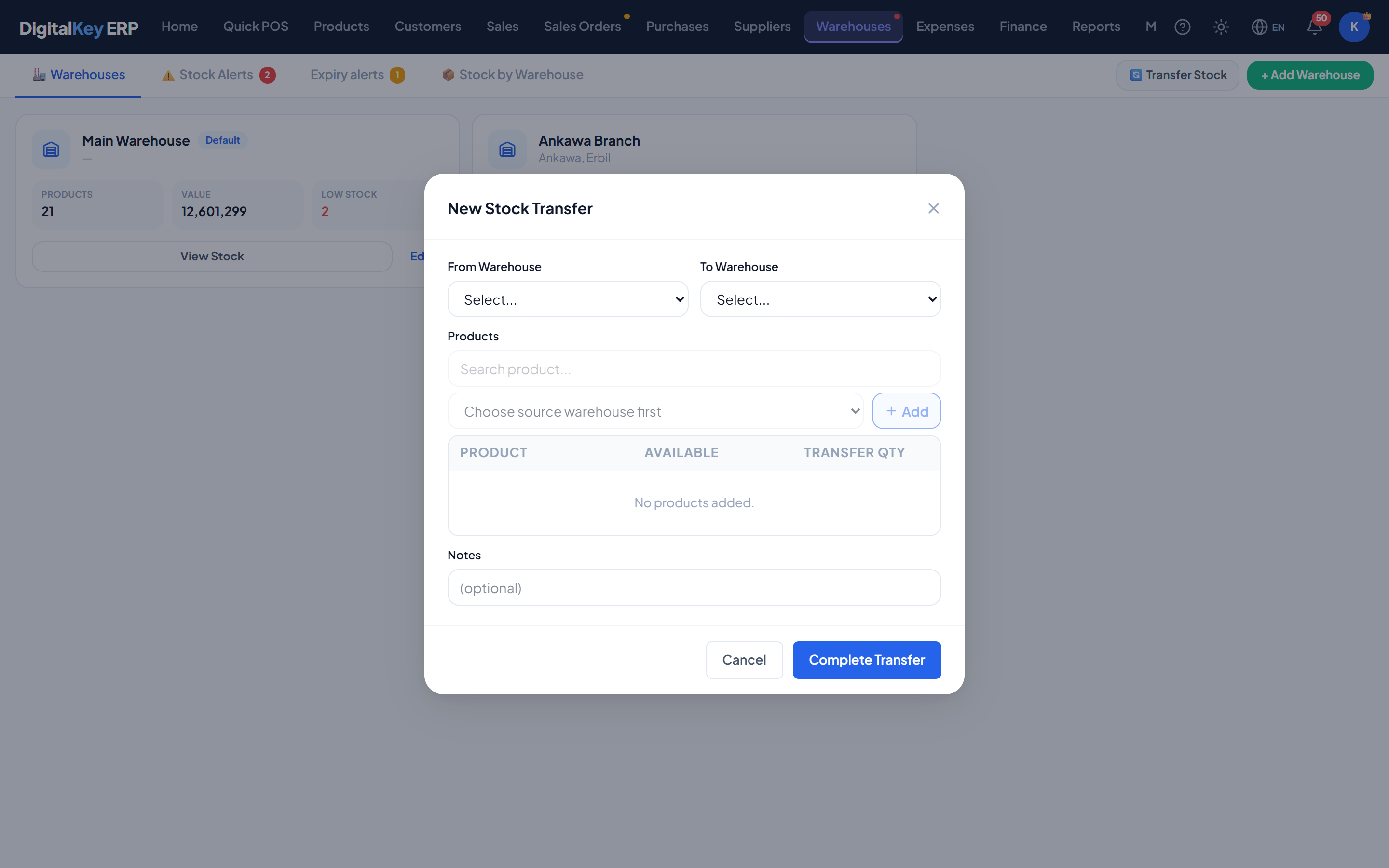
- 1
Start a transfer
Go to Warehouses and create a new transfer.
- 2
Choose source and destination
Pick where the stock is leaving from and where it is going. They must be different locations.
- 3
Add the items
Add each product and the quantity to move. The quantity available at the source is shown so you can see what can actually be sent.
Warehouses — Transfer linesTransfer lines — Products with the quantity to move and the quantity available at source. - 4
Add a note (optional)
Worth recording who is carrying it or which vehicle it went on.
- 5
Save
Stock leaves the source and arrives at the destination, and a movement is written at both ends.
Fields
| Parameter | Type | Required | Description |
|---|---|---|---|
from_warehouse_id | integer | Required | Where the stock is leaving from. |
to_warehouse_id | integer | Required | Where it is going. Must differ from the source. |
notes | string | Optional | Free text about the transfer. |
items | array | Required | What is being moved. |
items[].product_id | integer | Required | Product to move. |
items[].qty | decimal | Required | Quantity to move. |
The transfer record
| Parameter | Type | Required | Description |
|---|---|---|---|
transfer_id | integer | Optional | Internal identifier. |
transfer_no | string | Optional | Reference number for the transfer. |
from_warehouse_name | string | Optional | Resolved source name. |
to_warehouse_name | string | Optional | Resolved destination name. |
transfer_date | timestamp | Optional | When it was made. |
status | string= pending | Optional | State of the transfer. |
items[].qty_available | decimal | Optional | Quantity that was available at source when the transfer was prepared. |
Validation rules
- Source and destination must be different.
- At least one item is required.
- Quantities must be greater than zero.
- Both warehouses must belong to your business.
qty_available reflects the source stock at the time the transfer was prepared. If goods are sold from that location while a transfer is being keyed in, the figure on screen can be stale — check the source before sending large moves.What it records
A transfer writes a stock movement at each end — one reducing the source, one increasing the destination — each with the quantity before and after, so the history explains both sides.
Related
- Stock Adjustments — correcting a count.
- Stock Management — reading movement history.
- Warehouses — per-location stock.