Approval Workflow
Which status can move to which, and who is allowed to move it. These rules are enforced on the server, not just in the screen.
DigitalKey ERP — Docs · digital-key.co/docs/sales-orders/approval-workflow
Status flow
In standard mode an order travels:
draft ──► pending ──► approved ──► completed
  ▲          │            │
  └──────────┘            │        (reject → back to draft)
  └───────────────────────┘

any status ──► void   (needs "Void orders")
In simple mode the middle disappears — an order goes straight from draft to completed, a move that needs Complete orders.
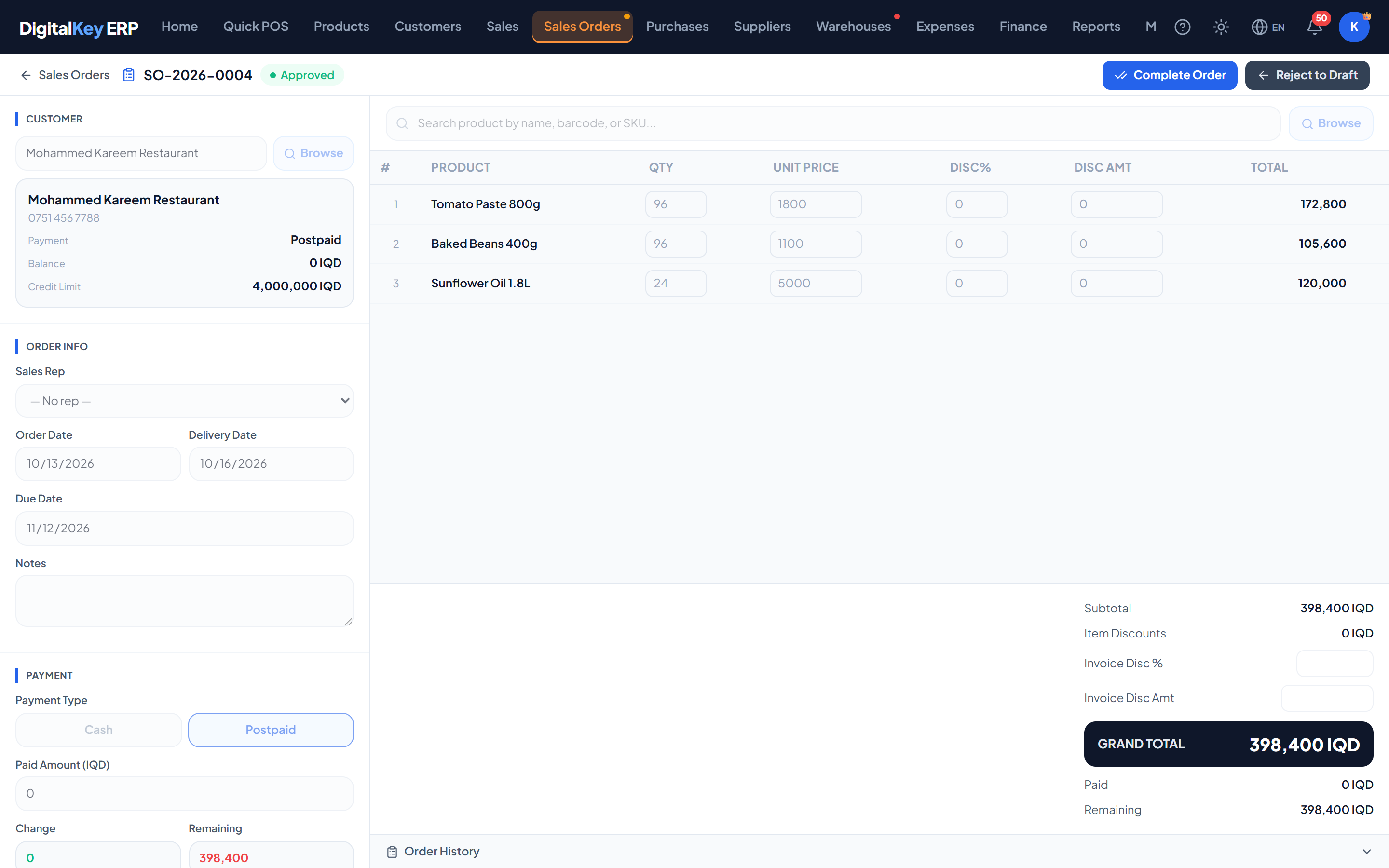
Allowed transitions
This is the complete set. Anything not listed is refused, whatever your role — the server returns a 403 naming the role and the transition it rejected.
| From | To | Permission needed | Meaning |
|---|---|---|---|
draft | pending | Anyone who may use sales orders | Submit for approval |
draft | completed | Complete orders | Complete directly, skipping approval |
pending | approved | Approve / reject orders | Approve |
pending | draft | Approve / reject orders | Reject, back for changes |
approved | completed | Complete orders | Fulfil the order |
approved | draft | Complete orders | Reject an already-approved order |
any except void | void | Void orders | Cancel the order |
pending needs Approve / reject orders, but rejecting an order that has already been approved needs Complete orders. Someone can send back what is waiting on them without being able to undo an approval.Changing status
| Parameter | Type | Required | Description |
|---|---|---|---|
new_status | string | Required | One of draft, pending, approved, completed or void. |
reason | string | Optional | Why. Recorded on rejections and voids, and always written to the log. |
When stock moves
completed. Draft, pending and approved orders have no effect on stock whatsoever and reserve nothing. An approved order is a promise, not a hold — the goods can still be sold at the counter before it is completed.What completion checks first — any one of these refuses it and leaves the order as it was:
- Stock — every product must be in stock for the full quantity.
- Credit limit — the unpaid part must fit the customer's limit.
- Price — a typed price may not be below the product's cost today.
What completion then does:
- Deducts every line from stock (a carton line as its pieces).
- Stamps each line with the product's cost at that moment — the cost its profit is measured against from then on.
- Updates the customer balance for the unpaid portion.
- Makes the order appear in sales figures and reports.
Voiding a completed order reverses all of that, returning the stock at the cost it left at. Voiding at any earlier status simply closes it.
What is recorded
| Parameter | Type | Required | Description |
|---|---|---|---|
approved_by | integer | Optional | User who approved it. |
approved_at | timestamp | Optional | When it was approved. |
rejected_by | integer | Optional | User who rejected it. |
rejected_at | timestamp | Optional | When it was rejected. |
reject_reason | string | Optional | The reason given on rejection. |
void_by | integer | Optional | User who voided it. |
void_at | timestamp | Optional | When it was voided. |
void_reason | string | Optional | The reason given on voiding. |
Every transition is also written to the order log, readable at GET /api/v1/sales-orders/{id}/log.
Related
- Creating Orders — raising the order.
- Stock Management — what completion does to stock.
- Void a Sale — the equivalent for POS invoices.