Reseller Guide
Managing Users
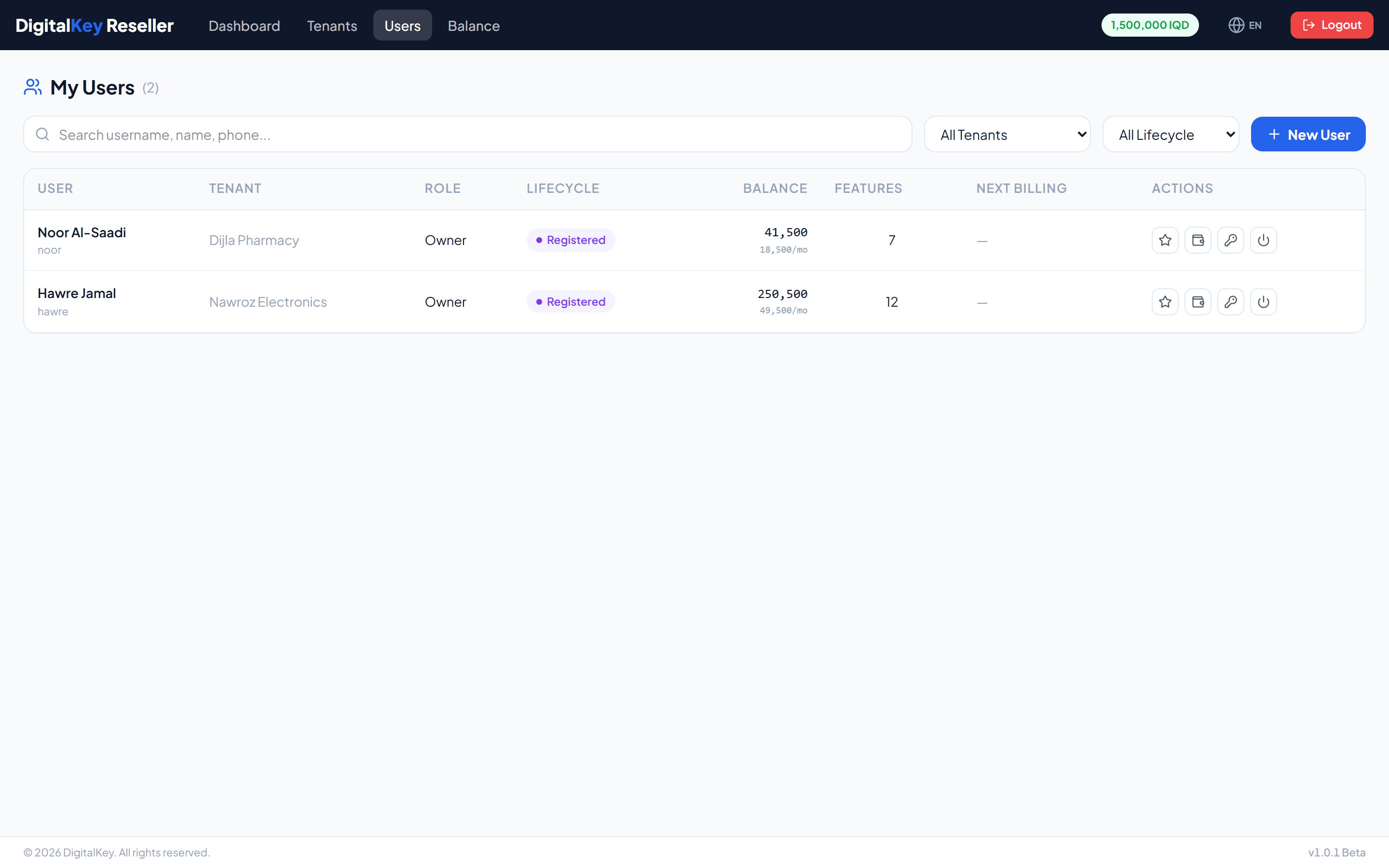
Users belong to your tenants and each carries their own balance and subscriptions.
Last updated 2026-10-13
DigitalKey ERP — Docs · digital-key.co/docs/reseller/users
Overview
You can create and manage users for any business attached to your reseller account. Users under other partners, or under the platform directly, are not visible to you.
Reseller — Reseller users list
Creating a user
POST /api/v1/reseller/users
| Parameter | Type | Required | Description |
|---|---|---|---|
tenant_id | integer | Required | Which of your businesses the user belongs to. |
username | string | Required | Sign-in name. Must be unique across the platform. |
password | string | Required | Initial password. |
full_name | string | Optional | Display name. |
email | string | Optional | Email address. |
phone | string | Optional | Phone number. |
role | string= staff | Required | owner or staff. |
opening_balance | decimal | Optional | Balance to start with. Comes out of your reseller balance. |
Warning
opening_balance is funded from your balance. Creating a user with an opening balance you cannot cover will fail — check your float first.Assigning features
PUT /api/v1/reseller/users/{id}/features
| Parameter | Type | Required | Description |
|---|---|---|---|
feature_ids | array | Required | The complete set of feature IDs the user should have. Replaces their current set. |
ImportantThis replaces the whole set rather than adding to it. Sending one feature ID removes everything else the user had. Always send the full intended list.
NoteAdding a feature raises the user's monthly cost from their next billing day. It takes nothing from your balance at the moment of subscribing — only top-ups move your float.
Topping up a user
PUT /api/v1/reseller/users/{id}/topup
| Parameter | Type | Required | Description |
|---|---|---|---|
amount | decimal | Required | Amount to credit, in IQD. Taken from your reseller balance. |
notes | string | Optional | Reference or reason. |
TipA top-up to a suspended user first collects the month that failed, then reactivates them. To bring a locked-out customer back, credit at least what they owe — a smaller top-up is kept on their balance and they stay suspended. The credit to the user and the debit from your balance are one transaction, and a repeated click charges no one twice.
Passwords and access
| Parameter | Type | Required | Description |
|---|---|---|---|
PUT /reseller/users/{id}/password | endpoint | Optional | Set a new password for one of your users. |
PUT /reseller/users/{id}/toggle | endpoint | Optional | Enable or disable the account. |
Warning
toggle suspends an active user — which blocks sign-in and ends any open session — and reactivates a suspended one. See Lifecycle States.Supporting a customer
When a customer reports being locked out, check in this order:
- Is the tenant active? Disabling a business locks out everyone in it.
- Is the user account active?
- What is their
lifecycle_status?suspendanddeactivatedboth refuse sign-in. - Does their balance cover their monthly cost? If not, top up to restore them.
Related
- Balance Management — where the money comes from.
- Managing Tenants — the businesses users belong to.
- Feature Store — what each feature does and costs.