Void a Sale
Cancelling an invoice that should never have been raised, and everything that unwinds with it.
DigitalKey ERP — Docs · digital-key.co/docs/sales/void-sale
Who can void
| Parameter | Type | Required | Description |
|---|---|---|---|
owner | role | Required | Can void POS sales and sales orders, always. |
staff | role | Optional | Only if the owner switched the matching permission on. Otherwise the request is refused with a 403. |
What gets reversed
Voiding a completed sale unwinds every effect it had:
- Stock— every line goes back on the shelf, at the quantity sold (a carton line goes back as its pieces) and at the cost it left at, not today's cost.
- Customer balance — for a postpaid sale, the debt it created is removed.
- Sales totals — the invoice stops counting toward revenue in reports and KPIs.
- The invoice itself — kept, marked
is_void, with the reason, who did it and when.
- 1
Open the invoice
Find it in the sales list and open it.
- 2
Choose Void
The option only appears for someone allowed to void, on an invoice that is not already void.
Sales — Invoice with the void action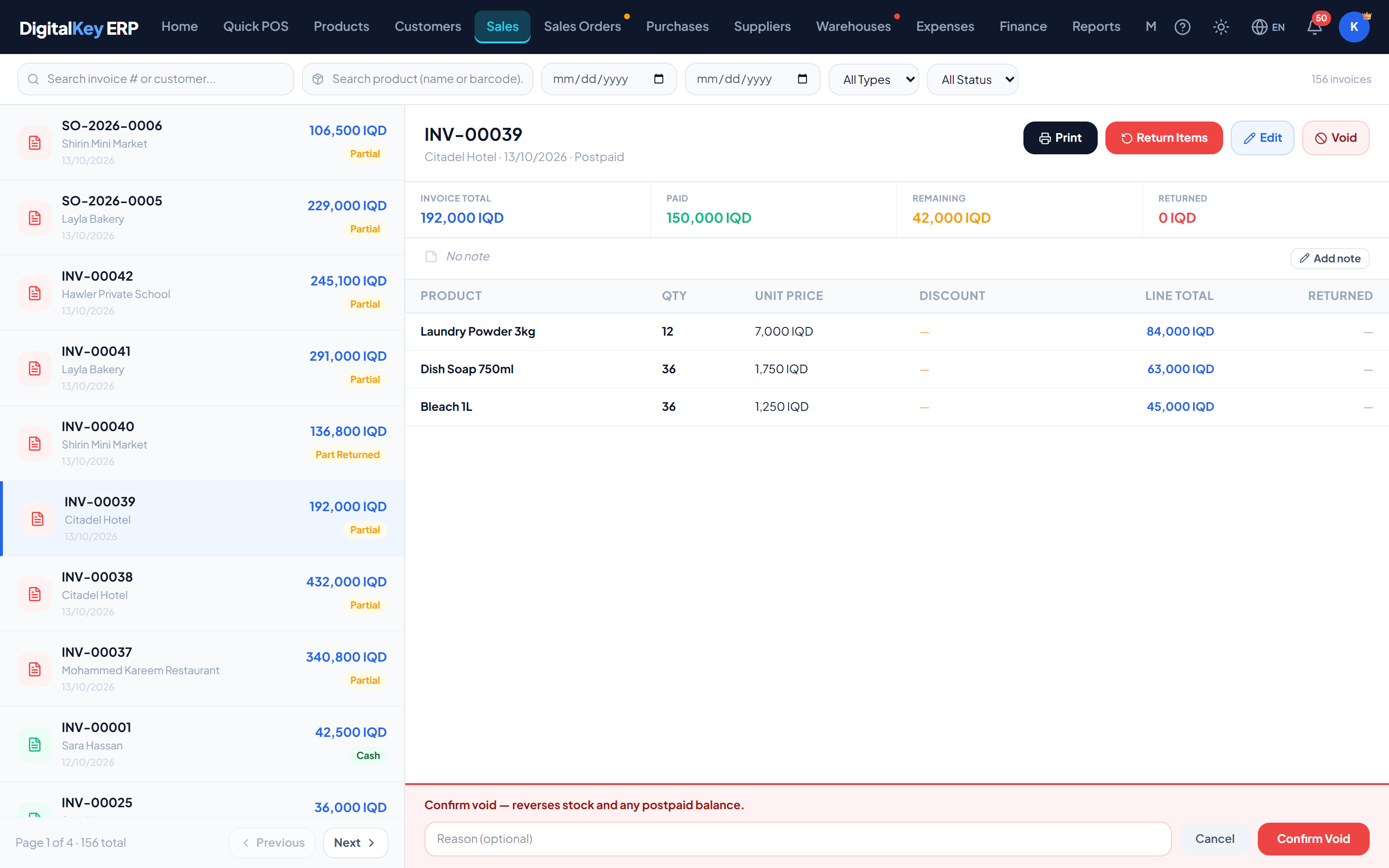
Invoice with the void action — An open invoice showing where the void action sits. - 3
Enter a reason
The reason is optional but worth typing. It is stored on the invoice permanently and is what makes the void explainable months later.
- 4
Confirm
Stock and balances are reversed together in a single transaction — either all of it applies or none of it does.
| Parameter | Type | Required | Description |
|---|---|---|---|
reason | string | Optional | Why the sale is being voided. Stored on the invoice. |
Undoing a void
A voided sale goes to the recycle bin (My Account → Recycle Bin), where the owner can restore it. Restoring is a real transaction, not a flag: the stock is taken out again and the debt is put back on the customer.
What cannot be voided
- An invoice that is already void — the request is refused.
- An invoice that does not belong to your business.
Voiding a sales order
A sales order can be voided from any status except void, by the owner or a staff member given Void orders. What that does depends on how far the order had progressed:
completed. Voiding a draft, pending or approved order simply closes it — nothing had moved yet, so there is nothing to unwind.Void, return or edit?
Related
- Edit an Invoice — correcting instead of voiding.
- Returns — goods coming back.
- Sales History — finding the invoice.
- Approval Workflow — order statuses and who can change them.
- Stock Management — how the reversal appears in movements.