Sales
Every completed sale, with the tools to find one, reprint it, correct it, return part of it or void it entirely.
DigitalKey ERP — Docs · digital-key.co/docs/sales
Overview
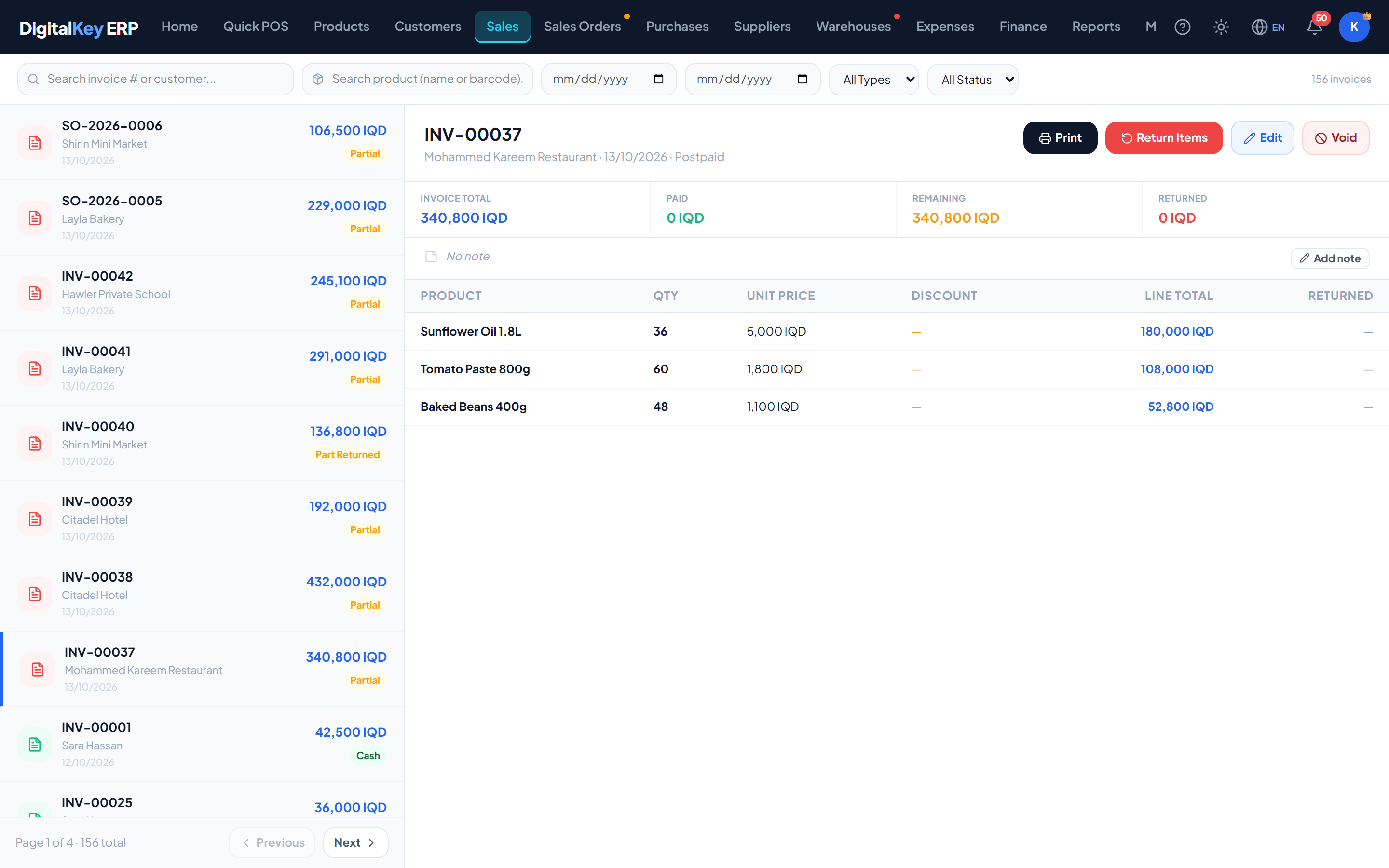
The Sales screen is the record of what has actually been sold. A sale arrives here the moment it is completed in the POS, or when a sales order reaches completed.
Today's figures
The headline sales figures are shown on the Dashboard rather than above this list. They are net of returns.
| Parameter | Type | Required | Description |
|---|---|---|---|
today_sales | decimal | Optional | Value sold today. |
today_count | integer | Optional | Number of invoices today. |
cash_sales | decimal | Optional | Value taken as cash. |
postpaid_sales | decimal | Optional | Value sold on credit. |
month_sales | decimal | Optional | Value sold this calendar month. |
total_outstanding | decimal | Optional | Still unpaid across postpaid invoices. |
What counts as a sale
A sale is a POS invoice (INV-…) or a completed sales order (SO-…) that has not been voided. A draft, pending or approved order is not a sale yet: it moves no stock and counts toward no revenue. Finance, reports and the dashboard all use this same rule, so their totals agree.
Edit, return or void?
Three different corrections exist and they are not interchangeable. Choosing the wrong one makes the books harder to read later.
| Edit | Return | Void | |
|---|---|---|---|
| Use when | The invoice was keyed wrongly | The customer brings goods back | The sale should never have existed |
| Scope | Lines, prices, customer, payment | Selected lines and quantities | The whole invoice |
| When | Current month only, and before any return | Any time | Any time |
| Who | Owner, or staff given the edit permission | Owner, or staff with “Make a return” (on by default) | Owner, or staff given “Void a sale” |
| Invoice afterwards | Same number and date, with an edit history | Stays valid, with the return recorded against it | Marked void, kept, restorable from the recycle bin |
Notes and display currency
- Note— an invoice's note can be added or changed after the sale from the invoice panel. It is printed on the invoice.
- Currency — from the print preview, one invoice can be shown and printed in another currency at a rate you type. It is display only; see Main Currency.
In this section
- Sales History — filters and columns.
- Edit an Invoice — correcting a finished sale in place.
- Returns — goods coming back, and the refund.
- Void a Sale — who can, and what it reverses.