Categories
Categories group the catalogue so products can be filtered, found and reported on by type.
DigitalKey ERP — Docs · digital-key.co/docs/products/categories
Overview
A category is a simple label attached to a product. Categories drive the filter on the product list, the grouping in the POS, and the breakdown in stock reports. A product can belong to at most one.
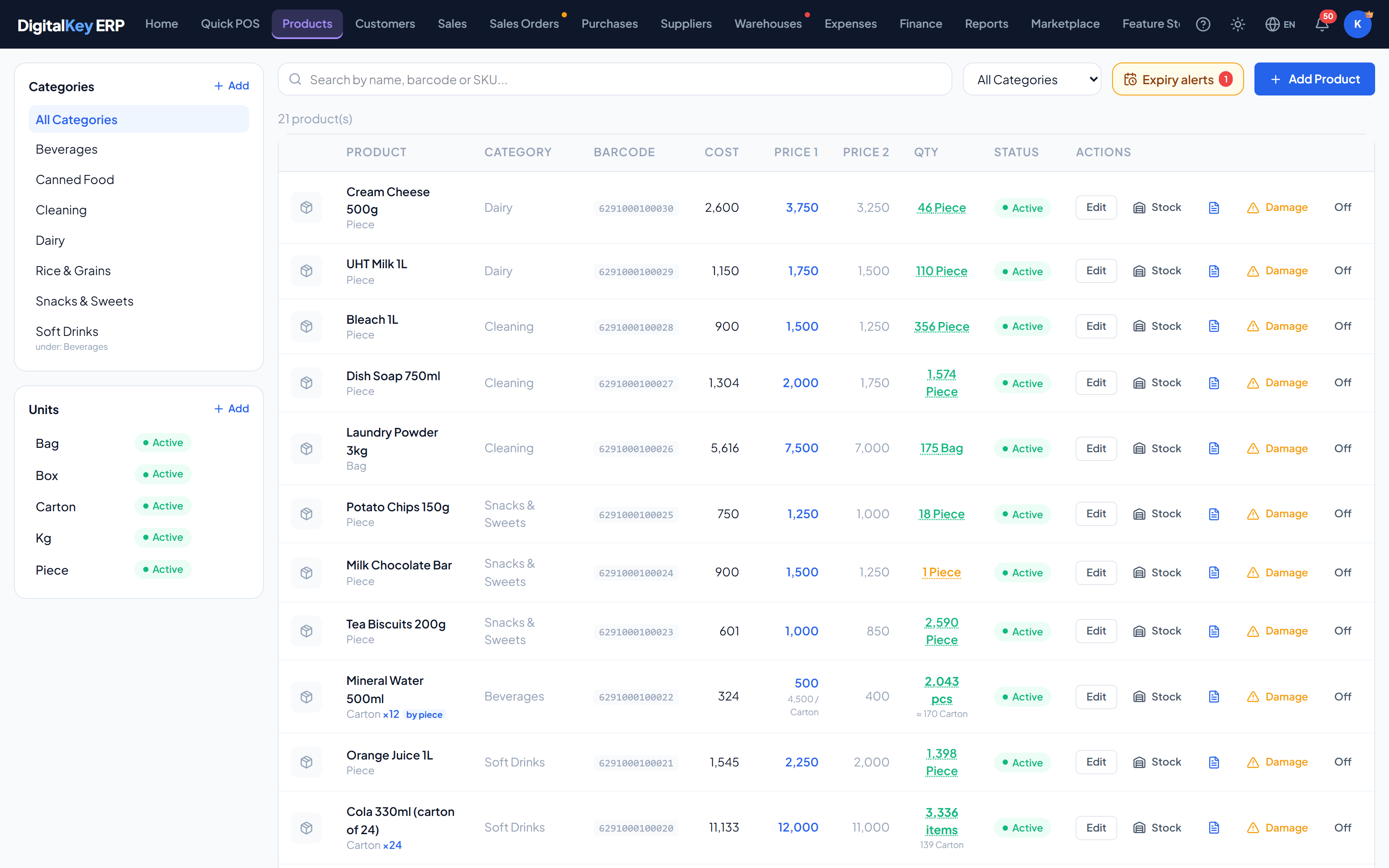
- 1
Open category management
Go to Products and open the categories panel.
- 2
Add a category
Enter a name and save. It becomes available on the product form immediately.
- 3
Assign products
Set the category on each product, either while adding it or by editing an existing one.
Fields
| Parameter | Type | Required | Description |
|---|---|---|---|
name | string | Required | Category name, as shown in filters and on the product form. |
parent_id | integer | Optional | Parent category, for a nested structure. Optional. |
Adding, renaming, switching off and deleting categories needs Categories & units in the permission matrix.
Organising the catalogue
Categories are most useful when they match how staff actually look for things at the counter, not how a supplier catalogue is arranged. A few practical rules:
- Keep the list short enough to scan — a dozen categories beats fifty.
- Name them the way staff speak, so the right one is obvious under pressure.
- Split a category only when it has grown big enough to be slow to search.
Deactivating a category
category_id and stay sellable; the category simply stops being offered on the product form and in filters. Reactivating it restores the grouping exactly as it was.Deleting a category
Related
- Adding Products — assigning the category.
- Units — the other product-level lookup list.
- Reports — stock and sales broken down by category.