Notifications
Notifications
How the system tells you something has happened — mostly about billing, balance and your subscriptions.
Last updated 2026-10-13
DigitalKey ERP — Docs · digital-key.co/docs/notifications
Overview
Notifications are generated by the system, not written by users. Almost all of them concern money: a deduction succeeded or failed, your balance was topped up, a feature was added or removed, your account changed state.
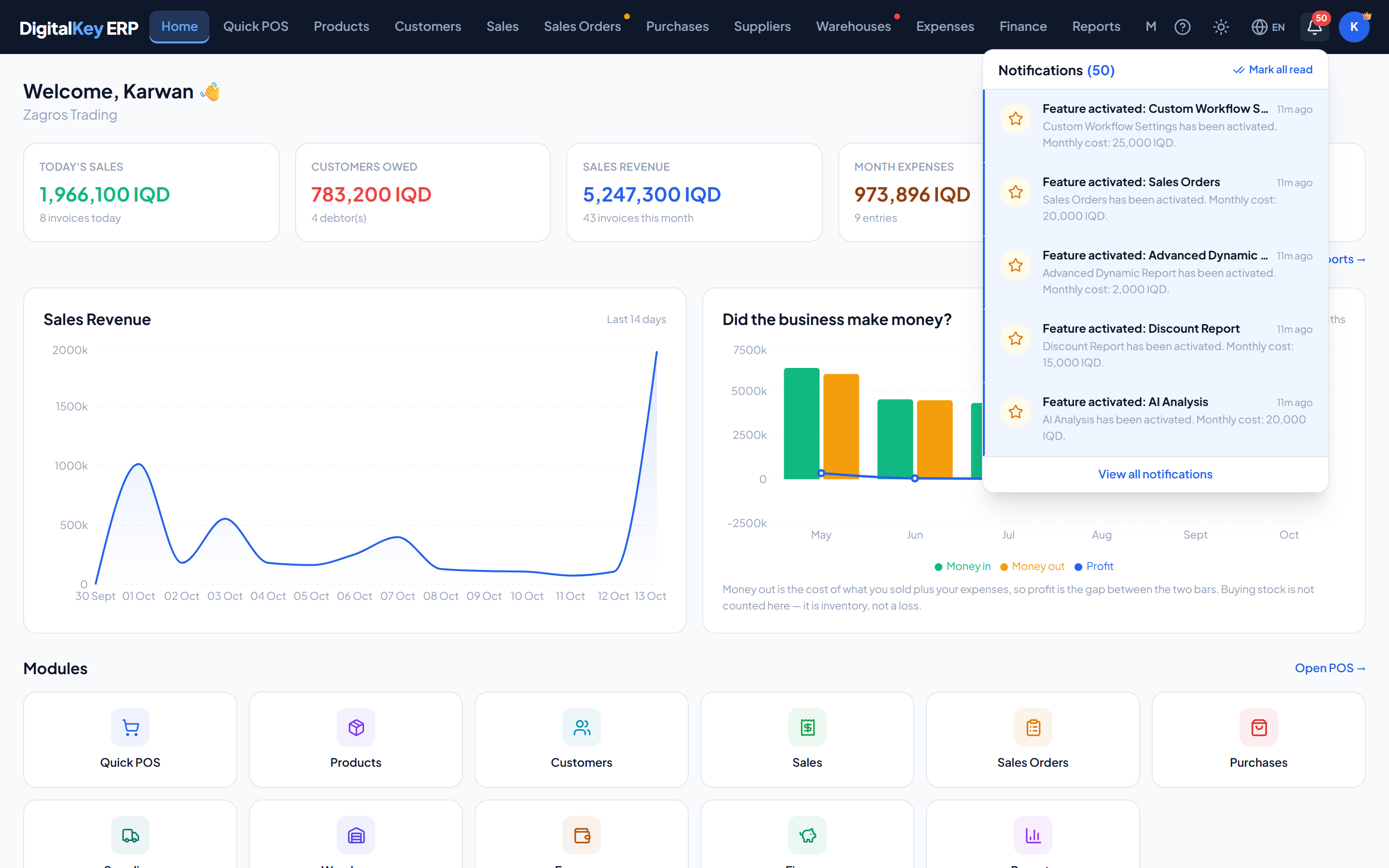
Notifications — Notification bell and dropdown
Notification types
Values of the type field
| Parameter | Type | Required | Description |
|---|---|---|---|
billing_deduction_success | billing | Optional | Your monthly subscription was deducted. Includes the amount and remaining balance. |
billing_deduction_failed | billing | Optional | A deduction failed because the balance was too low. Includes what was needed. |
billing_suspended | billing | Optional | Your account moved into a suspended state. |
billing_reactivated | billing | Optional | A top-up covered the monthly cost and the account was reactivated. |
admin_topup | admin | Optional | An administrator or reseller added balance to your account. |
admin_feature_subscribed | admin | Optional | A feature was added to your subscription, with its monthly price. |
admin_feature_removed | admin | Optional | A feature was removed from your subscription. |
Important
billing_deduction_failed is the one to act on immediately. It means a grace period has started, and ignoring it leads to suspension. See Lifecycle States.The notification record
| Parameter | Type | Required | Description |
|---|---|---|---|
notification_id | integer | Optional | Identifier. |
type | string | Optional | One of the types above. |
title | string | Optional | Short headline. |
message | string | Optional | Full text, including amounts. |
created_by_role | string | Optional | Who caused it — system, admin or reseller. |
ref_type | string | Optional | What it relates to, when it points at a record. |
ref_id | integer | Optional | Identifier of that record. |
is_read | boolean | Optional | Whether you have read it. |
read_at | timestamp | Optional | When you read it. |
created_at | timestamp | Optional | When it was raised. |
time_ago | string | Optional | Human-readable age, such as '2 hours ago'. Computed. |
The bell
The bell in the top bar carries a badge with the number of unread notifications and opens a list of the most recent. The full history is on the Notifications page.
Endpoints
| Parameter | Type | Required | Description |
|---|---|---|---|
GET /notifications/summary | endpoint | Optional | Unread count plus the recent list, for the bell. |
GET /notifications/count | endpoint | Optional | Just the unread count. |
GET /notifications | endpoint | Optional | Full paginated history. |
POST /notifications/{id}/read | endpoint | Optional | Mark one as read. |
POST /notifications/read-all | endpoint | Optional | Mark everything as read. |
NoteMarking as read only affects your own view. It does not dismiss the underlying situation — reading a failed-deduction notice does not restore your balance.
Broadcasts
Platform administrators can send a message to a whole tenant, or to everyone in a particular role, for maintenance windows and announcements.
POST /api/v1/admin/notifications (admin only)
| Parameter | Type | Required | Description |
|---|---|---|---|
tenant_id | integer | Required | Which business to send to. |
role | string | Required | Which role within that business receives it. |
title | string | Required | Headline. |
message | string | Required | Body text. |
WarningA broadcast is delivered once, to the people matching at that moment. Users created afterwards do not receive it, so announcing something in advance will not reach anyone who joins later.
Related
- Lifecycle States — what the billing notifications mean.
- My Account — your balance and history.
- Admin Guide — sending broadcasts.