Adding Customers
Creating a customer record, and the three money fields that are easy to mix up.
DigitalKey ERP — Docs · digital-key.co/docs/customers/add-customer
customer.manage3,000 IQD / month- 1
Open the customer form
Go to Customers and choose Add Customer.
Customers — Customer list with the add button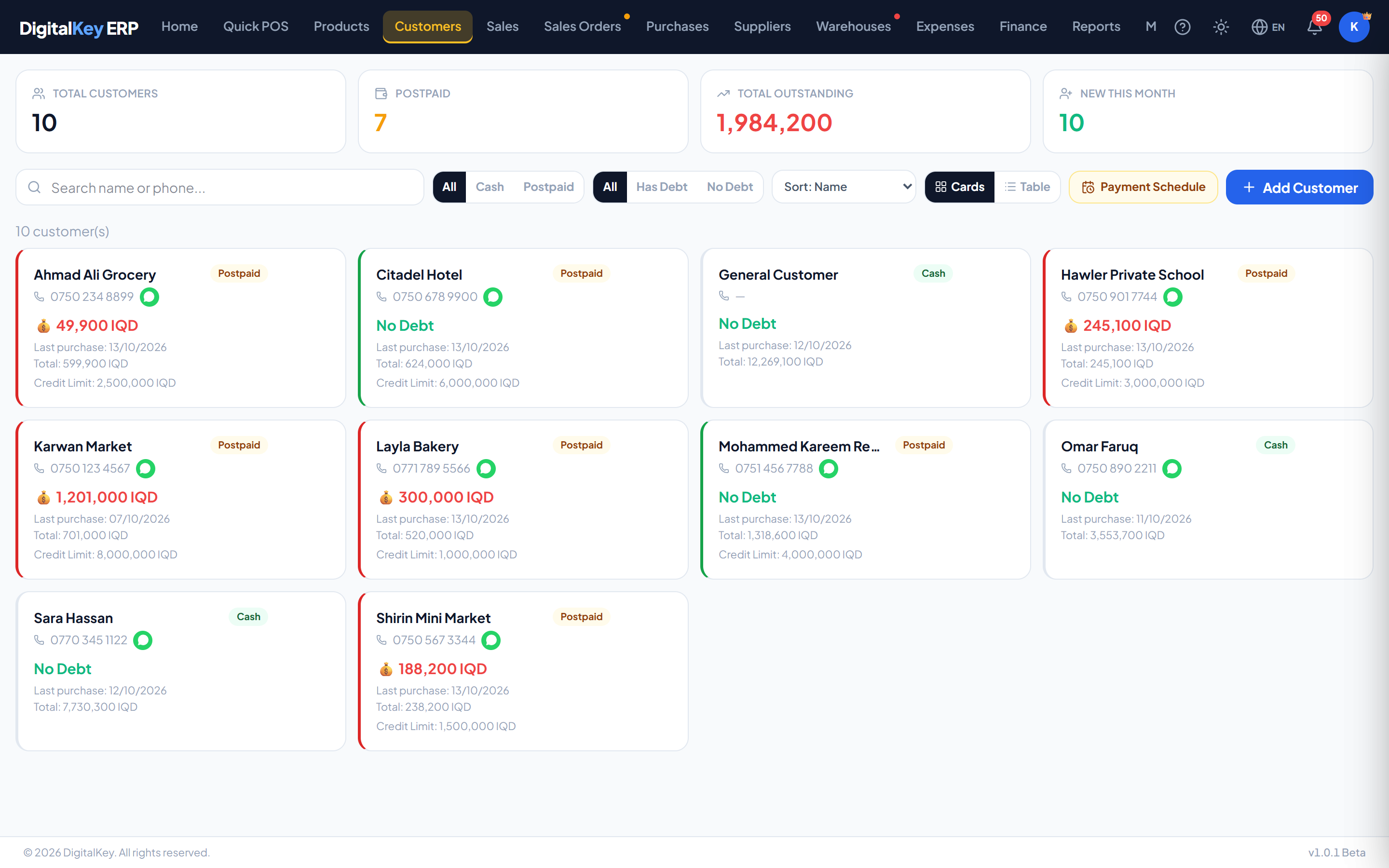
Customer list with the add button — The customer screen showing where a new record is started. - 2
Enter their details
Only the name is required. A phone number is worth adding — it is how customers are searched at the counter and how a portal login is issued.
Customers — Customer form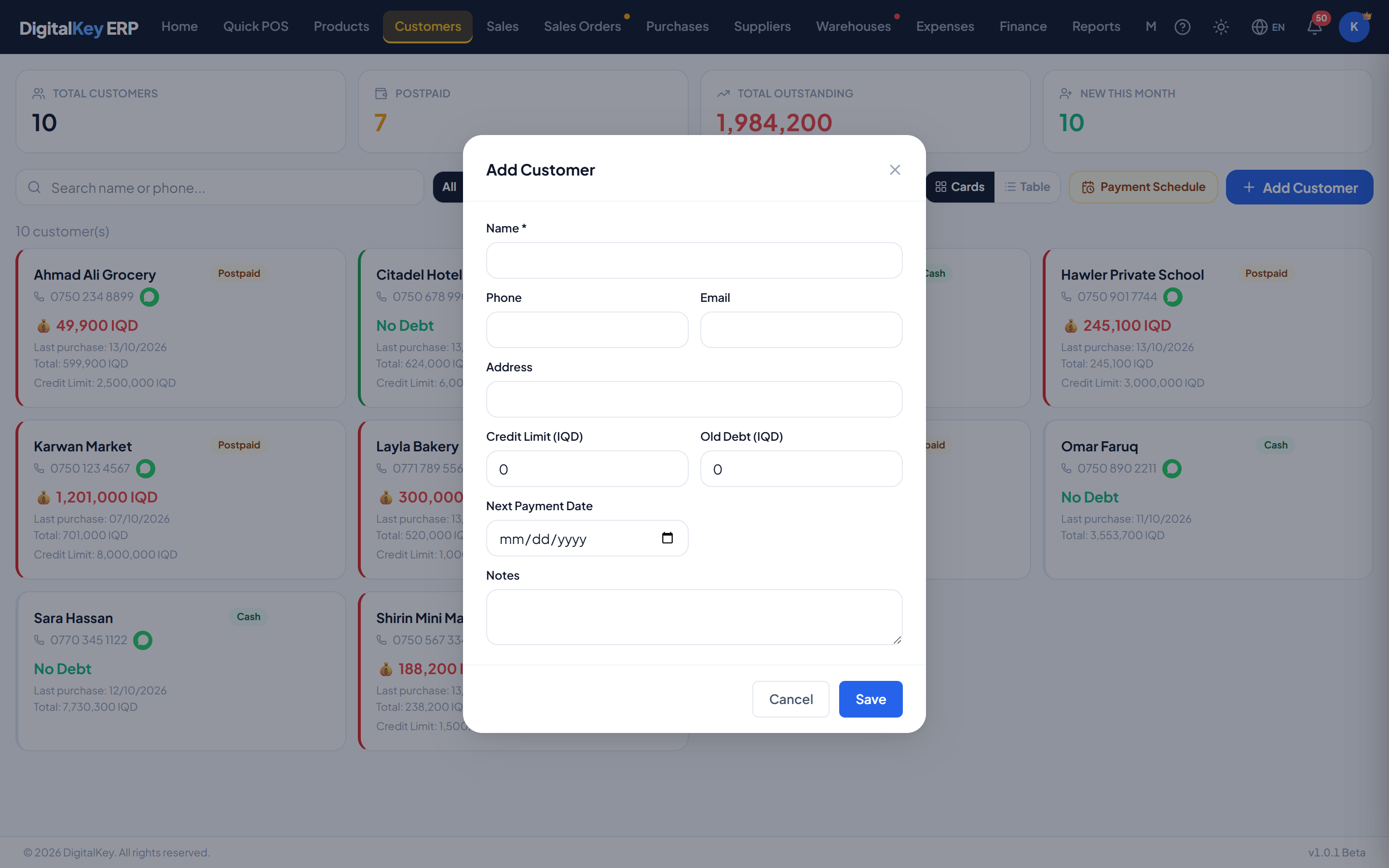
Customer form — Name, phone, email, address, payment type and the debt fields. - 3
Choose the payment type
Cash or postpaid. This sets the default offered at the counter; the cashier can still choose either on any given sale.
- 4
Record any existing debt
If this customer already owes you from before, put that figure in old debt so it is tracked without inventing invoices for it.
- 5
Save
The customer can be attached to sales straight away.
Customer fields
| Parameter | Type | Required | Description |
|---|---|---|---|
name | string | Required | Customer or business name. The only required field. |
phone | string | Optional | Phone number. Used for counter search and portal sign-in. |
email | string | Optional | Email address. |
address | string | Optional | Physical address. Appears on statements. |
payment_type | string= cash | Required | Default payment type — cash or postpaid. |
opening_debt | decimal | Optional | Balance the account is opened with. |
old_debt | decimal | Optional | Debt carried over from your previous system, tracked separately from trading debt. |
credit_limit | decimal= 0 | Optional | Maximum they may owe. 0 means unlimited. Enforced on postpaid sales. |
next_payment_date | date | Optional | When they are expected to pay. Drives the debt schedule. |
notes | string | Optional | Internal notes. Not shown to the customer. |
Cash versus postpaid
The three money fields
opening_debt, old_debt and current_balance are related but distinct, and getting them the wrong way round makes reporting confusing later:
- opening_debt — what the account starts at when you create it.
- old_debt — legacy debt from before this system. Reported separately so migrated balances never look like recent trading.
- current_balance — maintained by the system as sales and payments happen. Not something you type.
customer.old_debt10,000 IQD / monthCredit limit
A limit of 0 means unlimited, and that is the default. Any other value is the amount you consider acceptable for them to owe.
Expected payment date
next_payment_date is what puts a customer onto the debt schedule in a useful position. Without it they still appear as a debtor, but with no date to sort or chase by.Related
- Customer Management — the drawer and the debt schedule.
- Recording Payments — reducing a balance.
- Postpaid Sales — selling on credit.