Advanced Dynamic Report
One report that answers four questions: what did this customer buy, what did we buy from this supplier, who buys this product, and who supplies it.
DigitalKey ERP — Docs · digital-key.co/docs/reports/advanced-report
report.advanced_dynamic2,000 IQD / monthOverview
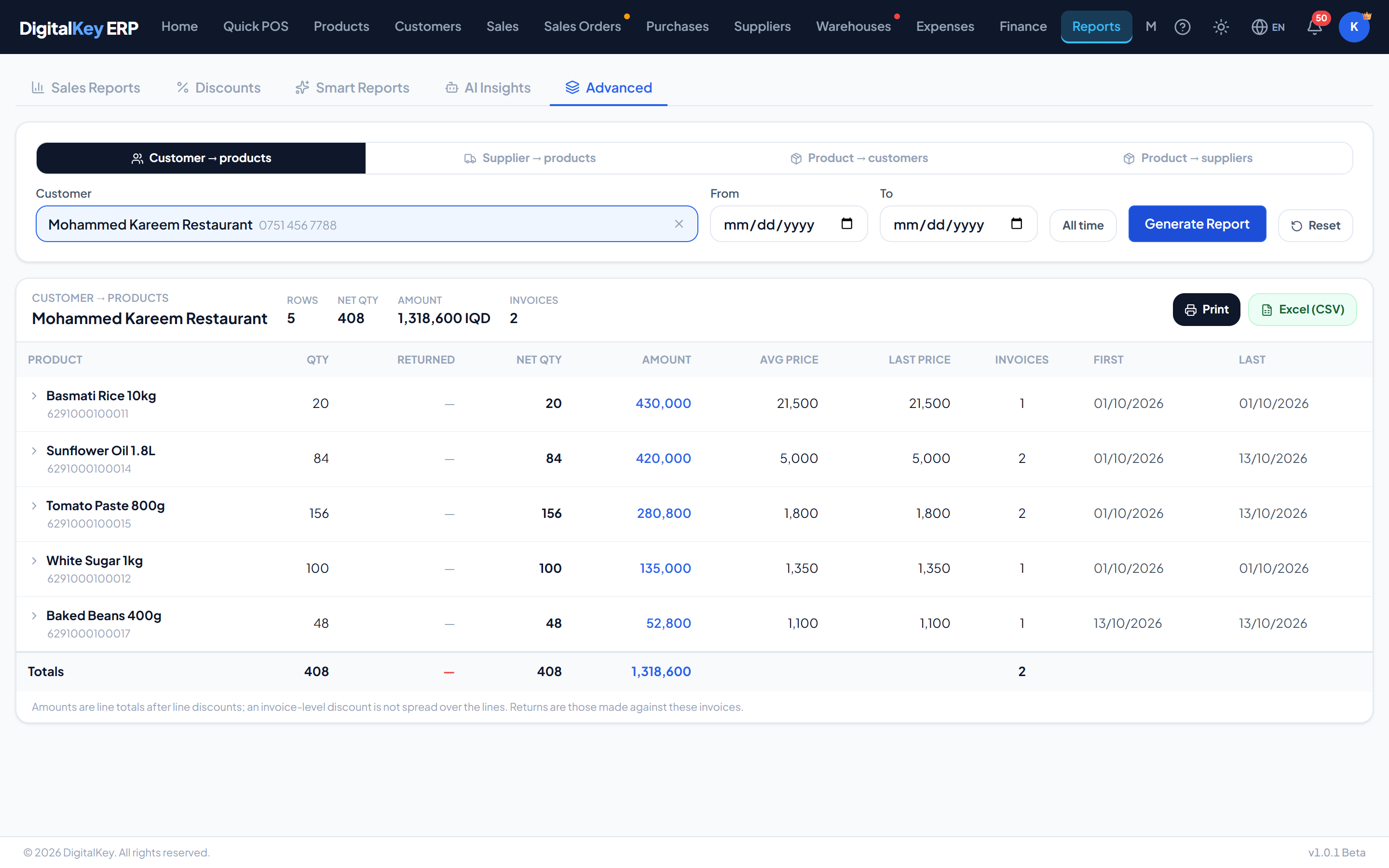
Pick who or what to report on, pick a period, and the report lists everything bought or sold with totals — and every row opens to show the invoices behind it. It lives on the Advanced tab under Reports.
The four modes
| Parameter | Type | Required | Description |
|---|---|---|---|
Customer → products | sales | Optional | Everything one customer bought, by product. |
Supplier → products | purchases | Optional | Everything bought from one supplier, by product. |
Product → customers | sales | Optional | Every customer who bought one product. |
Product → suppliers | purchases | Optional | Every supplier one product was bought from. |
- 1
Choose the mode
One of the four above.
- 2
Search the subject
A customer or supplier by name or phone; a product by name, barcode or SKU. Change swaps it for another.
- 3
Set the period
Two dates, or All time.
- 4
Generate
The table and its totals appear. Reset clears the subject and the period to start again.
- 5
Open a row
Each row expands to the invoice lines behind it — date, invoice number, quantity, unit price, total and payment type.
Columns
| Parameter | Type | Required | Description |
|---|---|---|---|
Qty | decimal | Optional | Quantity bought or sold, in line units. |
Returned | decimal | Optional | Quantity returned against those same invoices. |
Net qty | decimal | Optional | Qty less Returned. |
Amount | decimal | Optional | Line totals after line discounts. |
Avg price | decimal | Optional | Amount divided by quantity. |
Last price | decimal | Optional | The price on the most recent invoice. |
Invoices | integer | Optional | How many invoices the row is built from. |
First / Last | date | Optional | The first and most recent invoice dates. |
Print and Excel
Print and Excel (CSV) export the table as shown. On a long report the screen draws rows in batches, but the totals, the printout and the export always cover every row.
Cost prices
Not part of Smart Reports
The Advanced Dynamic Report is its own subscription. Smart Reports includes the sales and discounts reports, but not this one.
Related
- Reports — the sales and discounts reports.
- Sales History — finding invoices by product.
- Suppliers — the supplier drawer and statement.