Discounts
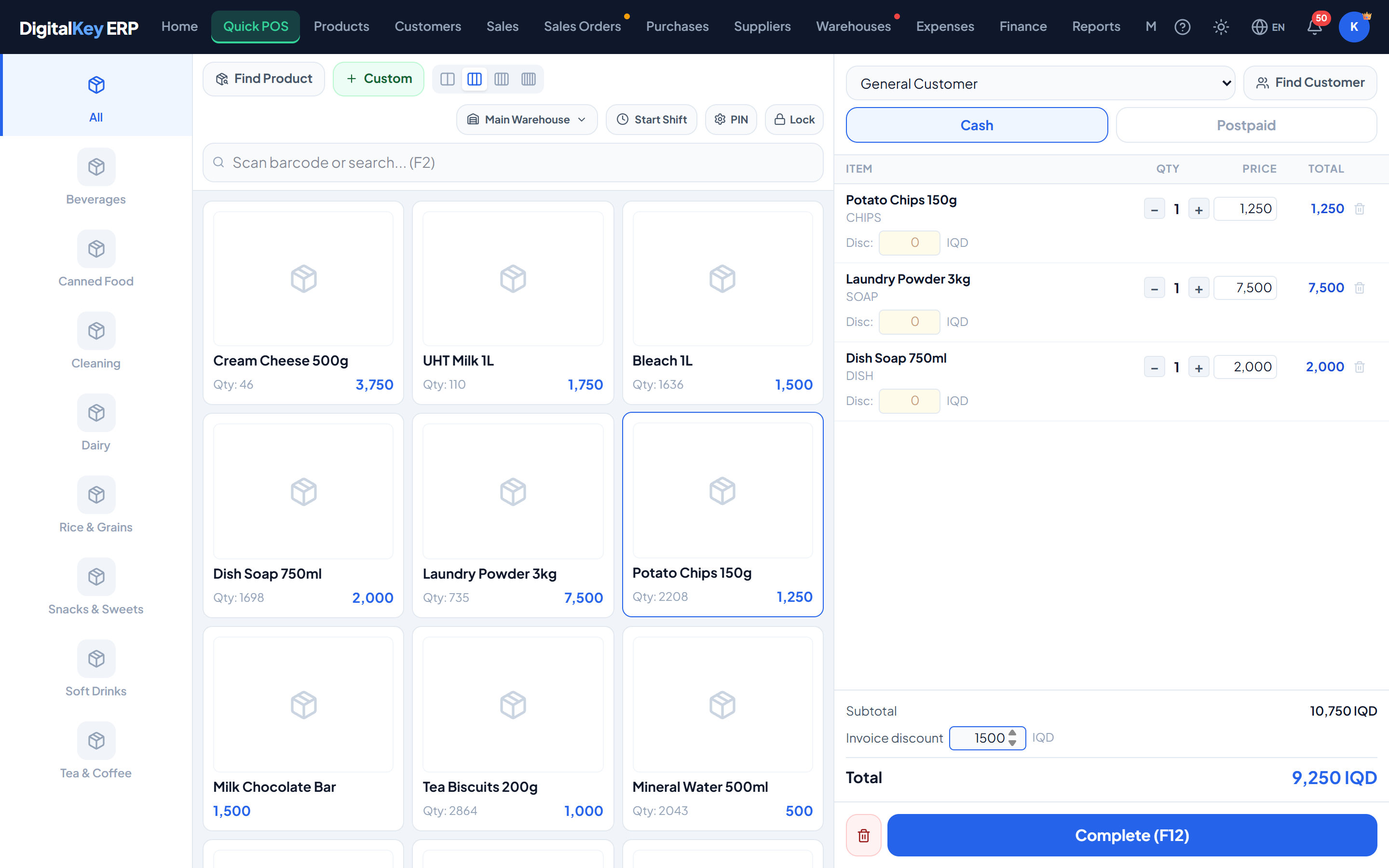
Two independent discount levels — one on a cart line, one on the invoice total — each sold as its own feature.
DigitalKey ERP — Docs · digital-key.co/docs/pos/discounts
pos.discount_item2,000 IQD / monthpos.discount_total2,000 IQD / monthOverview
A discount can be given in two places, and they are separate purchases. Item discounts mark down one line; invoice discounts take an amount off the whole sale. Subscribing to one does not give you the other.
Item discount
Applied to a single cart line and expressed either as a percentage or as a fixed amount. The line total is reduced accordingly and the invoice subtotal follows.
| Parameter | Type | Required | Description |
|---|---|---|---|
items[].discount_pct | decimal | Optional | Discount on this line as a percentage of the line value. |
items[].discount_amt | decimal | Optional | Discount on this line as a fixed amount. |
items[].line_total | decimal | Required | The line value after its discount. Recalculated on the server. |
discount_pct on its own record, which pre-fills the line when the item is added. See Adding Products. Overriding it in the cart affects only that sale.Invoice discount
Applied once to the whole sale after all lines are totalled — the usual way to round a bill down or give a goodwill reduction.
| Parameter | Type | Required | Description |
|---|---|---|---|
discount_total_amt | decimal | Optional | Invoice discount as a fixed amount. |
discount_total_pct | decimal | Optional | Invoice discount as a percentage of the subtotal. |
How they combine
The order of operations is fixed:
- Each line is priced as
qty × unit_price. - Any item discount is taken off that line, giving
line_total. - All line totals are added together to give the subtotal.
- The invoice discount is taken off the subtotal, giving the amount due.
Reporting on discounts
Discounts given are reportable, so you can see what they are costing you. The Discounts tab under Reports covers both item-level and invoice-level reductions, and opens with either the Sales Report or Smart Reports — there is no separate discount-report subscription any more.
report.sales2,000 IQD / monthDiscounts and typed prices are different things
pos.discount_item is rejected, so removing the control in the browser is not a way around the subscription.Related
- Quick Sale — where discounts fit in the flow.
- Reports — measuring discount impact.
- Feature Store — subscribing to either discount feature.