Print Invoice
Producing a printed invoice or receipt, and the settings that decide what appears on it.
DigitalKey ERP — Docs · digital-key.co/docs/pos/print-invoice
pos.invoice_print5,000 IQD / monthOverview
Printing is available from the POS immediately after a sale, and from the sales history for any earlier invoice. The same invoice can be printed as a full-page A4 document or as a narrow thermal receipt — the content is the same, the layout is not.
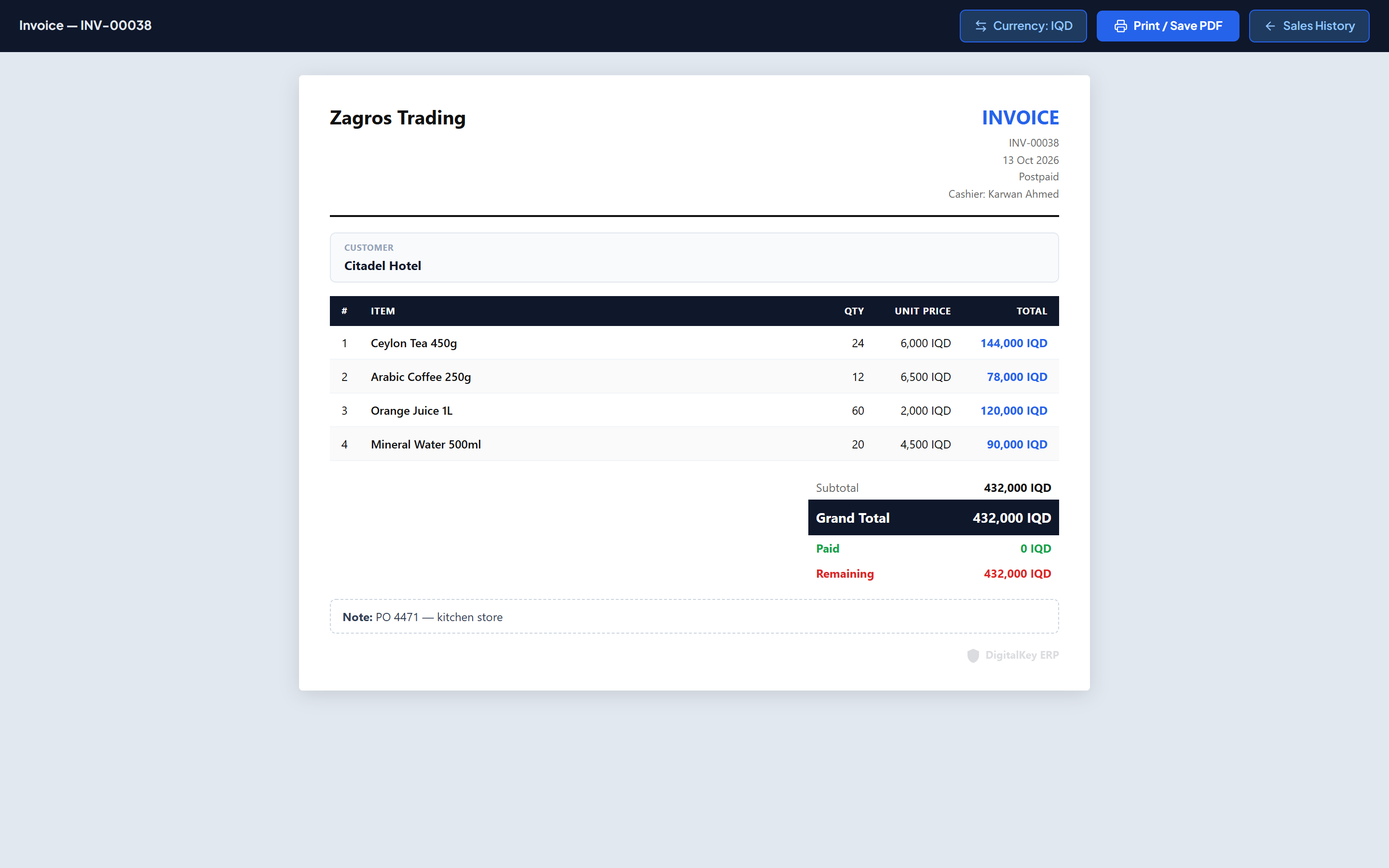
A4 vs thermal
| A4 | Thermal | |
|---|---|---|
| Width | Full page | 80mm roll |
| Best for | Business customers, records, deliveries | Walk-in counter receipts |
| Logo | Shown if uploaded | Shown, scaled to the roll |
| Columns | All enabled columns fit comfortably | Narrow — turn off columns you do not need |
default_thermal in invoice settings so the thermal size is pre-selected every time.What appears on the invoice
The printed document is assembled from your invoice settings rather than being fixed, so each business can print what it needs. Every column and block below can be turned on or off independently — see Invoice Settings for the full list.
| Parameter | Type | Required | Description |
|---|---|---|---|
col_row_no | boolean= true | Optional | Line number column. |
col_image | boolean= false | Optional | Product thumbnail column. |
col_item_name | boolean= true | Optional | Item name column. |
col_qty | boolean= true | Optional | Quantity column. |
col_unit_price | boolean= true | Optional | Unit price column. |
col_discount_item | boolean= false | Optional | Per-line discount column. |
col_line_total | boolean= true | Optional | Line total column. |
col_items_per_unit | boolean= false | Optional | Items per Unit — the pieces in one line unit: 24 on a carton of water, 1 on a single piece. |
| Parameter | Type | Required | Description |
|---|---|---|---|
show_subtotal | boolean= true | Optional | Show the subtotal before the invoice discount. |
show_discount_total | boolean= true | Optional | Show the invoice-level discount line. |
show_customer_name | boolean= true | Optional | Print the customer's name. |
show_customer_debt | boolean= false | Optional | Print the customer's outstanding balance. |
show_last_payment | boolean= false | Optional | Print the customer's most recent payment. |
show_customer_debtputs the customer's total outstanding balance on a document they take away. That is useful for collections, but think about whether you want it printed on every receipt handed across a busy counter.Language on the invoice
The invoice prints in the language the system is set to at the time — English, Kurdish Sorani or Arabic. Labels are translated; your own text, such as the business name, slogan and footer, prints exactly as you entered it. The layout stays left-to-right in all three languages.
Printing in another currency
The print preview has a Currencybutton. It shows this one invoice in another currency at an exchange rate you type — useful for a customer who pays in dollars while your books are in dinar. It changes only how the invoice looks and prints; the total, the customer's balance, finance and reports stay in your main currency. See Main Currency.
The DigitalKey watermark
By default printed invoices carry a small DigitalKey mark. It can be removed with its own feature, which is separate from the printing feature itself.
invoice.remove_watermark5,000 IQD / month| Parameter | Type | Required | Description |
|---|---|---|---|
show_dk_watermark | boolean= true | Optional | Your preference for showing the watermark. |
has_remove_watermark_feature | boolean | Optional | Whether the removal feature is subscribed. Read-only. |
effective_watermark | boolean | Optional | What actually prints, once the subscription is taken into account. Read-only. |
show_dk_watermark off without the subscription does not remove the mark — effective_watermark is what decides, and it stays true until invoice.remove_watermark is active.Related
- Invoice Settings — every toggle and the logo.
- Sales History — reprinting an older invoice.
- Account Statement — printing a full customer ledger.