Stock Management
What moves stock, what warns you about it, and how to see the history behind a number.
DigitalKey ERP — Docs · digital-key.co/docs/products/stock
What changes stock
Stock is never edited directly. It changes as a consequence of something happening, and each change is written to the movement history so a quantity can always be explained.
| Event | Effect |
|---|---|
| POS sale completed | Decreases |
Sales order moved to completed | Decreases — and only at that point |
| Sale or completed order voided | Increases — the movement is reversed |
| Customer return | Increases by the quantity returned |
| Finished invoice edited | Moves by the difference only, up or down |
| Goods received against a purchase | Increases |
| Purchase return | Decreases |
| Warehouse transfer | Moves between locations; the total is unchanged |
| Stock adjustment | Set to the counted figure, up or down |
| Damage recorded | Decreases, and posts the value as a loss |
| Voided sale or purchase restored from the recycle bin | Re-applies the original movement |
completed, so an approved order can still fail if the goods are sold at the counter first.No selling what is not in stock
A POS sale, a sales order being completed, and an invoice edit that sends more out are all refused when the product's stock is short. This applies to everyone and cannot be overridden. Quantities are added up per product across the lines of the invoice, and two tills selling the last unit at the same moment cannot both succeed.
Low-stock alerts
Each product has a qty_alert threshold. When stock is at or below it, the product is treated as low.
| Parameter | Type | Required | Description |
|---|---|---|---|
qty_in_stock | decimal | Optional | Current quantity on hand. |
qty_alert | decimal | Optional | Threshold at or below which the product is flagged as low. |
warehouse.alerts2,000 IQD / monthpos.low_stock_alert) is no longer sold; businesses that already hold it keep it.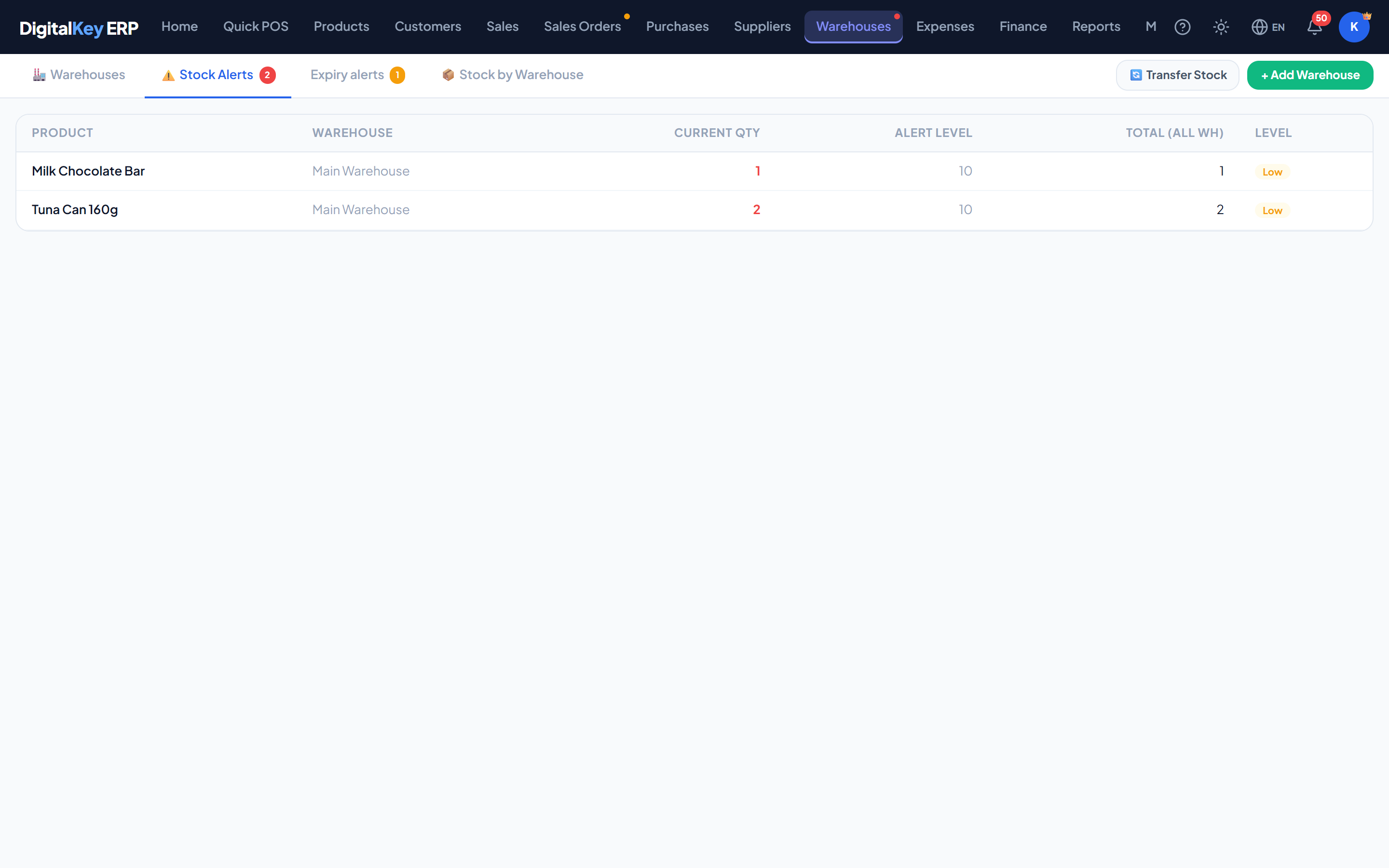
Recording damage
Goods broken, expired or otherwise lost are written off with a damage record. This removes them from stock and keeps a reason on file, so shrinkage does not masquerade as an unexplained count difference later.
product.damage3,000 IQD / month| Parameter | Type | Required | Description |
|---|---|---|---|
qty | decimal | Required | Quantity being written off. |
warehouse_id | integer | Optional | Which location the loss came from. |
reason | string | Optional | Why it was written off — broken, expired, lost. |
notes | string | Optional | Any further detail. |
unit_cost | decimal | Optional | The product's average cost at the time. Read-only. |
total_cost | decimal | Optional | Value of the loss — quantity multiplied by unit cost. Read-only. |
expense_id | integer | Optional | The expense entry raised for the loss. Read-only. |
Movement history
Every change is recorded with the quantity before and after, which is what lets you answer “why does this say 4 when I counted 6”.
| Parameter | Type | Required | Description |
|---|---|---|---|
move_id | integer | Optional | Identifier for the movement. |
product_id | integer | Optional | Product that moved. |
warehouse_id | integer | Optional | Location involved. |
move_type | string | Optional | What caused it — sale, purchase, transfer, adjustment, damage, void. |
qty | decimal | Optional | Size of the change. |
qty_before | decimal | Optional | Quantity immediately before. |
qty_after | decimal | Optional | Quantity immediately after. |
note | string | Optional | Free-text detail recorded with the movement. |
moved_at | timestamp | Optional | When it happened. |
Related
- Stock Adjustments — correcting a count.
- Stock Transfers — moving between locations.
- Receiving Goods — bringing stock in.
- Smart Reports — finding dead stock.