Recycle Bin & Activity Log
Two owner-only tabs under My Account: one to bring things back, one to see who did what.
DigitalKey ERP — Docs · digital-key.co/docs/settings/recycle-bin
Recycle Bin
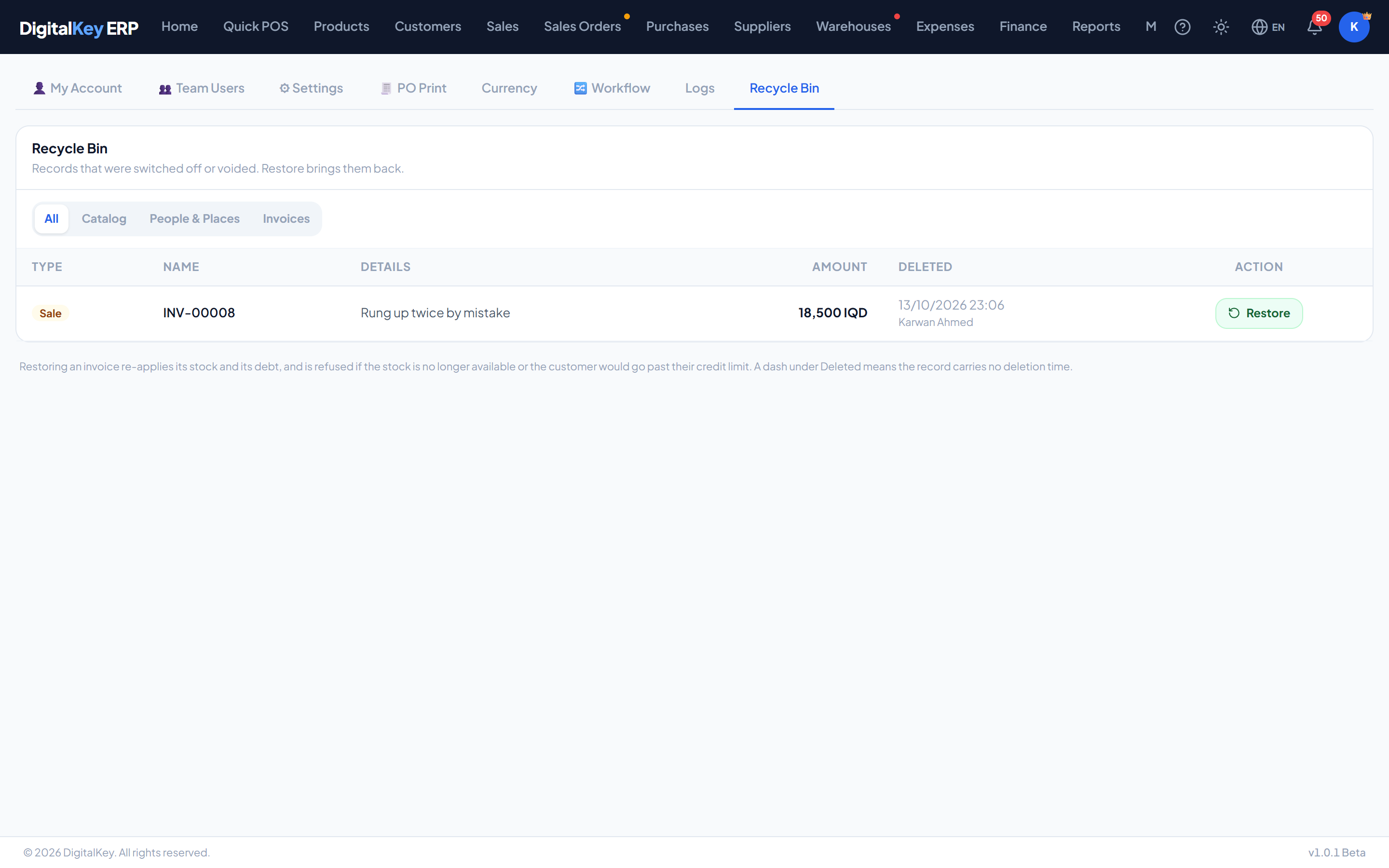
Almost nothing in the system is truly deleted. Products, customers, suppliers, warehouses and units are switched off; invoices and expenses are voided; deleted categories are kept. The recycle bin lists all of them and lets the owner bring one back.
| Parameter | Type | Required | Description |
|---|---|---|---|
Catalog | group | Optional | Products, categories, units and expense categories. |
People & Places | group | Optional | Customers, suppliers and warehouses. |
Invoices | group | Optional | Voided sales, voided purchases and deleted expenses. |
Restoring a record
For anything in the first two groups, Restore simply switches the record back on. It cannot fail and nothing else changes.
- the goods are no longer in stock, or
- the customer would go past their credit limit.
Activity Log
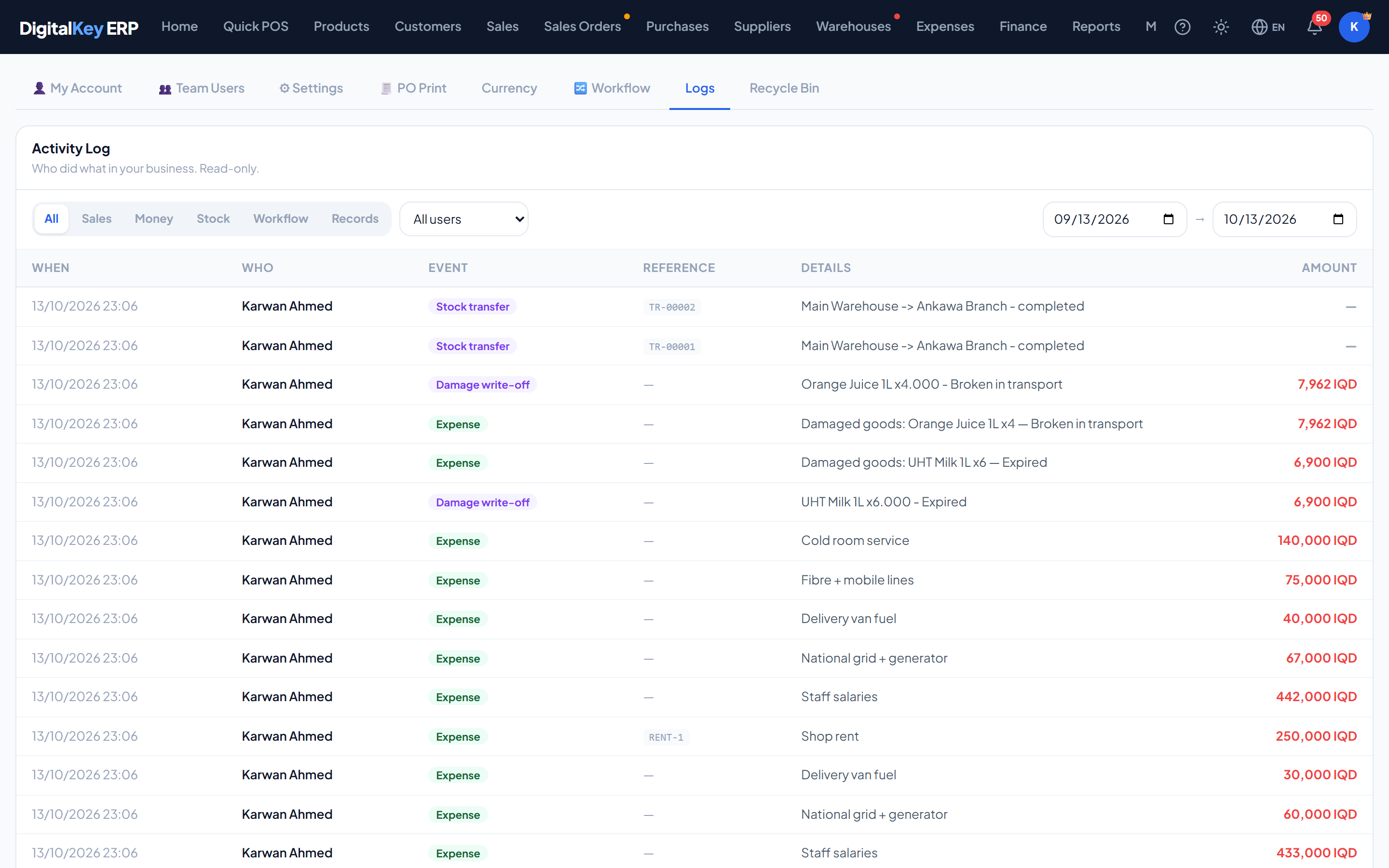
My Account → Logs is a read-only record of who did what in your business. Filter by category, by user and by period.
| Parameter | Type | Required | Description |
|---|---|---|---|
Sales | category | Optional | Sales, voided sales and returns. |
Money | category | Optional | Customer payments, supplier payments and expenses. |
Stock | category | Optional | Purchases, stock adjustments, transfers and damage write-offs. |
Workflow | category | Optional | Order status changes, and shifts opened and closed. |
Records | category | Optional | Adding, editing and switching off products, categories, units, customers, sub-customers, suppliers and warehouses; password resets and role changes; settings changes; invoice notes; restores from the recycle bin. |
| Parameter | Type | Required | Description |
|---|---|---|---|
When | timestamp | Optional | Date and time of the event. |
Who | user | Optional | The team member who did it. |
Event | string | Optional | What happened. |
Reference | string | Optional | The invoice, order or record it concerns. |
Details | string | Optional | Any reason or note recorded with it. |
Amount | decimal | Optional | The money involved, where there is any. |
Edit history on an invoice
Changes to a finished invoice are kept with the invoice itself, as a before-and-after snapshot of every edit. See Edit an Invoice.
| Parameter | Type | Required | Description |
|---|---|---|---|
GET /recycle-bin | endpoint | Optional | The switched-off and voided records, paged, by group. |
POST /recycle-bin/restore | endpoint | Optional | Restore one record by its type and id. |
GET /activity-log | endpoint | Optional | The activity log, paged, by category, user and period. |
GET /activity-log/actors | endpoint | Optional | The users to filter by. |
Related
- Void a Sale — what a void does, and undoing it.
- Team & Permissions — who is allowed to do what.
- My Account — the other tabs.