Sales Orders
Sales Orders
For sales that are agreed before they are fulfilled — quotes, deliveries and anything needing approval before stock moves.
Last updated 2026-10-13
DigitalKey ERP — Docs · digital-key.co/docs/sales-orders
Requires subscription
sales_order.basic20,000 IQD / monthOrders versus POS sales
A POS sale is instantaneous: money and goods change hands together. A sales order is a document that exists before fulfilment, so it can be prepared, checked, approved and only then completed.
| POS sale | Sales order | |
|---|---|---|
| Stock moves | Immediately | Only at completed |
| Approval | None | Optional, depending on mode |
| Price level | Retail | Retail or wholesale, per order |
| Dates | Now | Delivery and due dates can be set |
| Counts as a sale | Immediately | Only once completed |
| Typing a price | Needs a permission | Anyone raising the order |
A draft is not revenueAn order that has not been completed appears in no sales total, no profit figure and no report, and carries no cost. It becomes a sale — with its revenue, its cost of goods and its stock movement — at the moment it is completed.
Sales Orders — Sales orders list
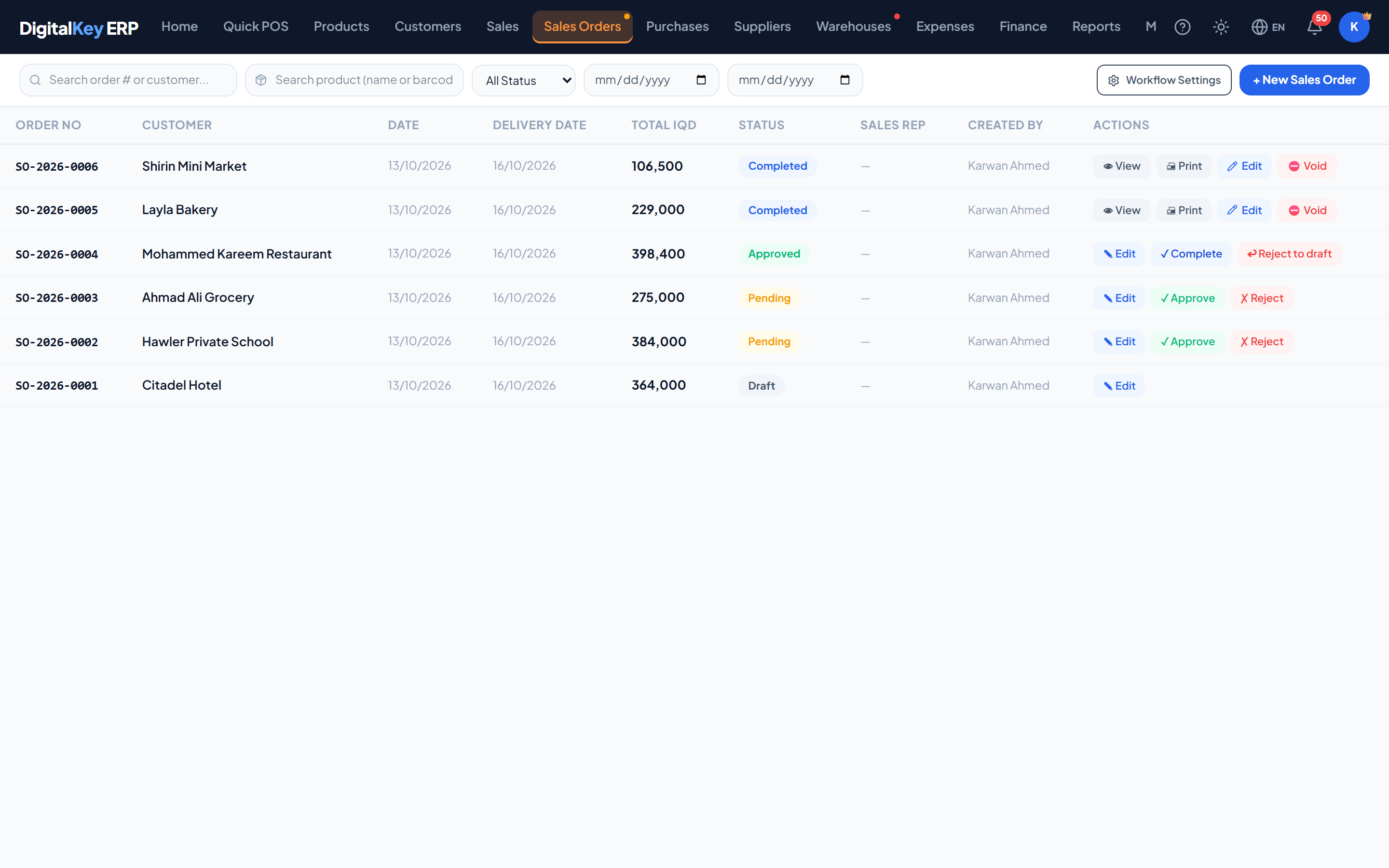
The two workflow modes
The workflow mode decides how many steps an order goes through. It is set per business.
| Parameter | Type | Required | Description |
|---|---|---|---|
workflow_mode | string= simple | Required | Either simple or standard. |
has_custom_workflow | boolean | Optional | Whether the business subscribes to the feature that unlocks standard mode. Read-only. |
- simple —
draftthencompleted. No approval step. This is the default. - standard —
draft→pending→approved→completed, with approval by the owner or a user given the approval permission.
Requires subscription
sales_order.custom_workflow25,000 IQD / monthNoteStandard mode needs
sales_order.custom_workflow, and only an owner can switch modes. Without that subscription a business stays on simple mode.Who sees which orders
WarningStaff see only the orders they created themselves, unless the owner gave them “See everyone's orders”. The owner always sees every order for the business. If a member of staff reports an order “missing”, it was most likely raised by a colleague.
Order statuses
| Parameter | Type | Required | Description |
|---|---|---|---|
draft | status | Optional | Being prepared. Editable. No stock effect. |
pending | status | Optional | Submitted and waiting for approval. Standard mode only. |
approved | status | Optional | Approved and ready to complete. Still no stock effect. |
completed | status | Optional | Fulfilled. Stock is deducted, cost is stamped and the customer balance updated at this point. |
void | status | Optional | Cancelled. Reverses stock and balance only if it had been completed. |
After completion
A completed order is a finished invoice. It appears in Sales, can be printed, can have goods returned against it, and — in the month it was made — can be edited in place by the owner or a staff member given Edit a completed order (SO).
In this section
- Creating Orders — every field on the form.
- Approval Workflow — the exact transition rules.